Why Does My Smartwatch Overheat? Practical Troubleshooting Guide
Explore why your smartwatch overheats, diagnose heat sources, and apply safe, practical fixes. Learn when to seek help and how to prevent future heat buildup.


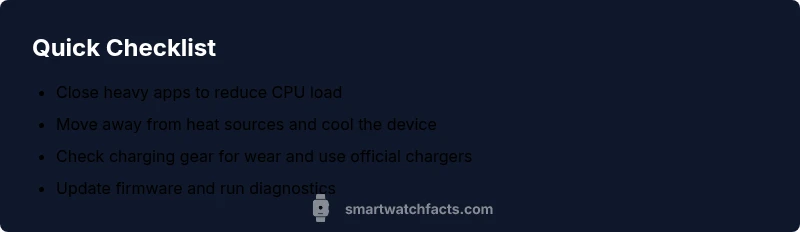
Overheating is usually due to heavy CPU use, direct sun, or faulty charging gear. Quick fixes: close background apps, enable power saving mode, and unplug to cool. Then install any firmware updates and inspect charging cables or pads for wear. Avoid using demanding apps during charging and consider enabling the watch's cooling mode if available.
Why overheating matters on smartwatches
If you're wondering why does my smartwatch overheat, know that it’s often a sign your device is under stress from intense processing, a hot environment, or flawed charging gear. Even a small heat spike can degrade battery health over time and affect performance. The brain behind the watch—the CPU—races to handle multiple tasks, sensors, and GPS, and can stay in a high-load state if many features run at once. This heat can trigger safety protections, slowdowns, and reduced battery life. According to Smartwatch Facts, overheating is typically caused by a combination of software load and environmental factors. In everyday use, monitoring workload and avoiding peak temperatures can prevent heat buildup and extend device life.
Common heat sources in wearables
Wearables generate heat when the CPU processes intense workloads, especially with many apps in the background, continuous heart-rate monitoring, GPS tracking, and high brightness or always-on displays. Even simple tasks like glare reduction or frequent sensor polling can contribute to heat if the device struggles to manage thermal dissipation. Ambient temperature matters: a watch sitting in direct sunlight or on a warm wrist will accumulate heat faster. Faulty charging gear or a damaged battery can also push temperatures higher during charging. Finally, software bugs or poorly optimized apps can keep the processor busy longer than necessary, creating a cycle of heat that is hard to break without a reset or update. The takeaway: identify the most heat-generating activities and address them first.
Immediate actions you can take to cool down
Start with the simplest fixes. Close all unnecessary apps and turn off features you don’t need (like constant GPS or heart-rate tracking). Place the watch in a cool, shaded area away from direct sun, and unplug it from charging if it’s charging. Enable power-saving or adaptive brightness to reduce load. If the device can be restarted without data loss, perform a soft reboot. Check for firmware updates and install them, as updates often include thermal management improvements. Finally, inspect the charger, cable, and dock for wear or damage and replace them if needed.
How heat interacts with hardware and software
The battery and processor are designed to manage heat via throttling, which reduces performance to keep temps safe. When thermal limits are reached, the watch may slow down, dim the display, or stop some sensors. Worse, repeated overheating can accelerate battery wear and reduce overall longevity. Software that mismanages wake-time, background tasks, or sensor sampling can exacerbate heat. Understanding these dynamics helps you pinpoint the cause rather than guessing.
Long‑term prevention strategies
Develop a routine to keep your smartwatch cool: avoid intense tasks in hot environments, limit background apps, and schedule updates during cooler parts of the day. Keep firmware up to date to benefit from thermal management fixes. Use a case with good heat dissipation and consider disabling always-on display if you don’t need it. Use official charging accessories and avoid cheap third‑party docks. Calibrating battery health via diagnostics can also help anticipate heat before it becomes problematic.
Safety considerations when overheating
If the watch becomes numbingly hot to the touch, stop using it immediately and move it to a cool area. Do not leave it on a heat source (car dashboard, window sill in sun, or hot gym equipment). Avoid attempting to open the enclosure or replace cells yourself; battery work should be done by technicians. If you suspect a faulty battery or charger, discontinue use and contact support.
Troubleshooting checklist you can follow now
- Confirm ambient temperature is within the recommended range.
- Temporarily disable nonessential features.
- Check for apps known to cause excessive battery drain.
- Verify charger and cable integrity.
- Update the device firmware.
- Run a quick diagnostics check if your OS offers it.
OS-specific notes and best practices
Whether you use iPhone or Android, the core principles remain the same: minimize heat sources, keep software current, and use approved charging gear. Some watches offer built-in thermal monitoring and power-saving modes; enabling these can dramatically reduce heat during long workouts or navigation sessions. If your OS version includes a thermal dashboard, consult it to identify heat trends and tailor your usage accordingly.
When to seek professional help and warranty considerations
If overheating recurs after applying the recommended fixes, or if you notice swelling, unusual smells, or rapid battery drain, schedule a service appointment. Heat damage can affect electronics safety and warranty coverage. Contact customer support for diagnosis, possible battery replacement, or repair under warranty conditions.
Steps
Estimated time: 60-90 minutes
- 1
Identify symptoms and record context
Note when the heat occurs (during charging, workouts, or idle). Record ambient temperature and whether the screen is on. This helps distinguish software from hardware causes.
Tip: Use a simple log to track times and apps active. - 2
Cool the device safely
Move the watch away from direct heat, remove it from the wrist, and unplug from any charger. Allow at least 10–15 minutes of cooling before testing again.
Tip: Avoid placing on ice or extreme cold, which can cause condensation. - 3
Close background apps
Close all nonessential apps and disable continuous GPS or heart-rate tracking if possible. A few background tasks can push CPU usage well above idle temperatures.
Tip: Check for rogue apps that stay active after closing. - 4
Check for updates
Install any available firmware or app updates. Updates often include better thermal management and bug fixes that reduce heat generation.
Tip: Ensure updates come from official channels. - 5
Review charging gear
Inspect the charger, cable, and dock for wear. Use only official or manufacturer-approved accessories to avoid overheating during charging.
Tip: Replace frayed cables promptly. - 6
Reset if needed
If heat persists, perform a soft reset or a factory reset only after backing up data. This can clear software loops that trap heat.
Tip: Back up important data before reset. - 7
Retest under normal use
After the reset, reintroduce typical workflows and monitor heat. If temperatures remain high, continue with support steps.
Tip: Document what triggers heat after reset. - 8
Inspect environment and usage patterns
Limit exposure to direct sun and intense workouts in hot rooms. Optimize display brightness and disable always-on when not needed.
Tip: Keep the device in a cooler part of your body or bag when outdoors. - 9
Seek professional help if needed
If overheating persists despite all fixes, contact support for battery or component diagnostics and possible replacement.
Tip: Check warranty eligibility before service.
Diagnosis: Smartwatch overheats during normal use or charging.
Possible Causes
- highSoftware or apps running in the background causing CPU load
- mediumDirect heat exposure or sun, high ambient temperature
- mediumFaulty charging accessories or damaged battery
- lowA faulty sensor or firmware bug causing improper power management
Fixes
- easyClose unused apps and reboot to reset background tasks
- easyMove away from heat sources and unplug to cool
- mediumUpdate firmware and perform a factory reset if needed
- easyInspect charging accessories and replace with official gear
- mediumIf heat persists, contact manufacturer support for service
People Also Ask
Is overheating dangerous for the smartwatch battery?
Yes. Prolonged heat can degrade battery health and shorten overall lifespan. If the device becomes unusually hot, power down and seek support.
Yes, overheating can damage the battery. If it gets too hot, turn it off and contact support.
What should I do if my watch overheats while charging?
Unplug the charger immediately, move the watch to a cool place, and inspect the charging gear for wear. Try a different official charger if available.
Unplug it, cool it down, and check the charger. If it keeps getting hot, try another official charger.
Does overheating happen during workouts normally?
While some warmth is expected, excessive heat during workouts indicates high CPU usage or environmental heat. Pause intensive activities and review app usage and settings.
Some warmth is normal, but intense heat during workouts means you should pause and review usage.
How hot is too hot for a smartwatch?
There is no universal temperature, but any sensation that burns skin or triggers device safety modes should be treated as too hot. Allow cooling and check for faults.
If it feels too hot to touch or triggers safety modes, stop using it and check for issues.
Will a factory reset fix overheating?
A reset can clear software loops that cause heat, but if hardware issues exist, it may not help. Back up data before resetting and test after.
Reset may help if software is the cause, but hardware problems still need service.
Should I replace the battery if overheating persists?
If heat persists after fixes, battery wear may be contributing. Consult the manufacturer for a diagnostic and possible battery replacement under warranty.
Persistent heat may require battery replacement by a professional.
Watch Video
Key Points
- Close unused apps to reduce heat
- Keep charger and device away from sun
- Update firmware to fix overheating bugs
- Use power-saving modes during long sessions
- Seek professional help if heat persists