Smartwatch Burn: Urgent Troubleshooting Guide
Urgent guide to diagnose and fix smartwatch overheating that burns skin. Safe steps, diagnostic flow, step-by-step fixes, and prevention from Smartwatch Facts.


Immediate action: stop wearing the watch, remove the band, and unplug the charger if it’s heating up. If skin shows redness, blistering, or pain, seek medical advice promptly. The leading causes are overheating from charging faults or internal heat generation, allergic contact dermatitis from the band, or prolonged friction against the wrist. Avoid reusing a damaged strap.
What causes a smart watch burn skin
A burn or intense irritation from a smartwatch is usually the result of heat, friction, moisture, or a faulty charging scenario. According to Smartwatch Facts, heat buildup under the housing or in the charging coil can transfer to the skin, especially when the band is tight or the watch sits directly on sensitive areas. The phenomenon is more common with older models that use less regulated charging circuits or bands made of irritant materials. Another factor is moisture trapped under the band, which can cause dermatitis or fungal irritation that feels like a burn. A key nuance is that not all burns are thermal; some appear as redness or small rashes after contact with synthetic straps, adhesives, or finishes that irritate sensitive skin. If you notice a pain or burning sensation after wearing a watch, you should assume the device contributed and take precautions immediately. Document when the reaction started, what you were doing (charging, exercising, sweating), and whether the heat was localized near the charging area or around the sensor. In 2026, Smartwatch Facts analysis shows that skin reactions are more often linked to strap material and poor heat dissipation than to cosmetic finishes. Understanding these signals helps you distinguish a normal wear response from a potential device fault.
Immediate safety steps you should take
Start with the simplest fixes to prevent further injury: remove the watch from your wrist, disconnect the charger, and inspect the strap for damage or tightness. Gently rinse the skin around the contact area with cool water and pat dry with a clean cloth. If the skin feels hot to the touch or shows blistering, seek medical attention right away. Do not apply ointments or home remedies that could trap heat or irritants in the area before a clinician assesses the burn. If you must rewear a device for documentation or testing, consider using a different strap and spacing the device away from direct skin contact until you determine the root cause. Remember to ventilate the area and avoid covering the skin with occlusive materials during initial treatment. This step-by-step approach aims to reduce heat exposure and minimize skin damage while preserving evidence for diagnosis.
Diagnostic signs and how to tell heat from dermatitis
Skin burns from wearables often present as localized redness or a blistering patch aligned with the watch’s contact points. Heat-related injuries usually feel warm or hot to the touch, with a potential burning sensation that worsens with movement. Dermatitis or irritant contact dermatitis from strap materials may resemble a rash—itchy, scaly, and not always hot. Burning sensations near the charging coil can indicate thermal issues rather than friction. If you notice swelling, fever, or fluid-filled blisters, seek urgent medical care. A clinician can distinguish thermal injury from dermatitis through visual inspection and, if necessary, a skin culture or patch test to identify irritants in the strap or adhesive. Keeping a symptom diary—when it started, whether the heat was during charging, workouts, or long wear—helps identify whether a heat source is device-based or user-based.
How charging faults and band materials contribute to overheating
Charging faults often generate abnormal heat in the charger or within the watch’s battery management system. A damaged charging cable, worn adapter, or a charger not meeting the device’s power specifications can push the unit into higher temperatures. Band materials matter too: rubberized or synthetic bands can trap heat and moisture, while porous fabrics may wick sweat more effectively but irritate sensitive skin if dyes or finishes are poor. The contact surfaces of sensors and metal clasps can heat up with prolonged wear, especially during exercise or in hot environments. Regularly inspect the charging port, cable integrity, and adapter for signs of wear. If the device feels excessively hot during charging, discontinue use, switch to a different charger, and let the device cool before further testing.
Cleaning, charging, and fit: checks you can do today
First, inspect the strap for fraying or discoloration and replace if needed. Clean the watch and band with a mild, fragrance-free soap and warm water, then dry completely before reinstalling. Ensure the band tension is comfortable—not so tight that it traps heat or so loose that it rubs against skin. Use a different charging outlet and cable to see if heat persists during charging. If the heat continues after swapping the charger, the issue may lie with the watch’s internal components. Document any differences in heat level and skin response when testing with different bands or outlets. Keep the device away from direct sun and heat sources during troubleshooting.
When to seek professional help and safe disposal
If cooling measures do not stop the heating, or if you exhibit blistering or severe pain, seek medical assistance and stop using the device until inspected by a professional. A certified technician can diagnose battery or regulator faults, while dermatology specialists can treat dermatitis or burns caused by materials. Do not attempt to disassemble the device or replace internal components yourself, as this can pose shock or chemical hazards. If the device is under warranty, contact the manufacturer for a service or replacement option. For disposal, follow local electronic-waste guidelines to ensure safe handling of potentially hazardous battery materials.
Prevention: safer wear and ongoing checks
Prevention starts with choice of strap materials and proper fit. Pick hypoallergenic bands made from skin-friendly materials and avoid straps with aggressive dyes. Periodically inspect the charging setup and replace coils or cables showing signs of wear. Maintain a clean wrist area; wash daily and dry thoroughly before wearing. When engaging in intense activity or high heat environments, reassess whether to wear the watch and consider a temporary alternative. Regular software updates can improve thermal management, so enable automatic updates if available. By combining careful hardware choices with mindful wear, you reduce the risk of a future smart watch burn skin and preserve skin health over time.
Steps
Estimated time: 30-45 minutes
- 1
Power down and remove device
Safely power off the smartwatch and detach the band to prevent further heating. This step reduces risk of additional skin damage. If you must test while documenting, use a different strap temporarily.
Tip: Always unplug the charger before handling the device. - 2
Check the charging setup
Inspect the charger, cable, and power adapter for wear, heat, or frayed insulation. Try a known-good charger in a different outlet to see if heat persists.
Tip: Avoid using third-party chargers with questionable safety ratings. - 3
Inspect the strap and skin contact areas
Examine bands for degradation, dye dyes, and rough edges. Clean the skin area gently and ensure there is no moisture trapped under the band before re-wear.
Tip: Choose hypoallergenic bands if you have sensitive skin. - 4
Reassemble with a safe configuration
Reattach the watch with a comfortable fit and a breathable strap. Avoid placing metal clasps directly on skin if possible. Monitor for any heat after a few minutes of wearing.
Tip: Use a moisture-wicking strap during workouts. - 5
Monitor for heat signs during use
Wear the device for short intervals to observe heat build-up. If heat returns, stop usage and seek professional testing.
Tip: Keep a diary of heat episodes to aid diagnostics. - 6
Consult a professional if needed
If heat persists after basic checks, consult the manufacturer or a certified technician for battery and thermal management assessment.
Tip: Document symptoms and steps you took to assist diagnosis. - 7
Plan long-term prevention
Select safer wear options and ensure firmware updates are applied to improve thermal management. Regularly inspect hardware for wear and replace when necessary.
Tip: Set reminders to check for heat during routine wear.
Diagnosis: Skin irritation or burn after wearing a smartwatch
Possible Causes
- highPower or charging fault causing overheating
- mediumAllergic dermatitis from band material
- lowProlonged friction from a tight strap or sensors on the skin
Fixes
- easyUse a different charger and outlet to test heat generation during charging
- easyReplace the band with a hypoallergenic material and adjust the fit
- mediumInspect charging port and cable for wear; replace damaged components
- easyPower down and consult a professional if heat persists after basic checks
People Also Ask
What are the first signs that a smartwatch is causing a skin burn?
Early signs include localized redness, warmth, or a burning sensation where the watch sits. If blisters form or pain increases, stop using the device and seek medical care. Keep notes about when the heat occurs and under what conditions.
Look for redness or warmth where the watch sits; if it hurts or blistering appears, stop use and see a clinician.
Can a wristband cause a skin burn without the watch overheating?
Yes. Some bands release dyes or adhesives that irritate sensitive skin, especially with sweat or friction. Consider hypoallergenic bands and ensure proper fit. If irritation persists after changing bands, consult a dermatologist.
Band materials can irritate skin and cause burns even if the watch isn’t heating up.
Should I continue to wear the watch during workouts if heat occurs?
No. If heat occurs during workouts, stop and assess. Sweat can trap heat and worsen irritation. Use a different strap or wear no watch during intense activity until the root cause is found.
Don’t wear it during workouts if you feel heat; assess first.
What maintenance steps reduce future skin burns?
Regularly inspect the charger, band, and sensor areas for wear. Use hypoallergenic straps, clean surfaces, and ensure a proper fit. Update firmware to improve thermal management.
Regular checks and safe practices help prevent future burns.
When is professional help required?
If heat continues after basic checks, if there are blisters, or if you suspect a battery fault, seek professional testing from the manufacturer or a licensed technician. Do not attempt internal repairs yourself.
If heat persists, get a professional check.
How should I dispose of a smartwatch that overheats?
Follow local e-waste guidelines and remove the battery properly. Do not throw a damaged device in regular trash; contact a service for safe disposal.
Dispose via e-waste channels per local guidelines.
Watch Video
Key Points
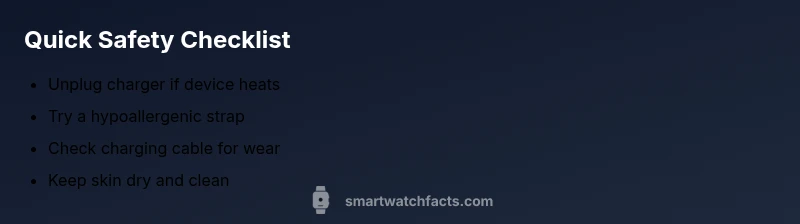
- Wear hypoallergenic bands to reduce irritation
- Test charging with multiple outlets to identify faults
- Do not continue to use a hot device; seek professional help if heat persists
- Regular maintenance can prevent heat-related skin issues