Why Is My Smartwatch Not Charging? Troubleshooting Guide
Learn why your smartwatch won't charge and how to fix it quickly. This urgent guide covers cables, contacts, moisture, software, and safe troubleshooting steps to restore charging.


Most charging issues on smartwatches stem from a loose charging cradle, dirty contacts, or a faulty cable. Start by unplugging and inspecting the charger, cleaning the contacts with a dry microfiber, and reseating the watch. If these steps don’t help, try a different charger and test with a known-good outlet.
Why charging problems happen
Charging problems on smartwatches usually stem from three buckets: hardware (cables, docks, or worn connectors), moisture exposure, and software or battery-health issues. The way the watch sits on the charger, the cleanliness of the contacts, and the charger’s compatibility with your device all influence whether charging succeeds. If you’re asking why is my smart watch not charging, you’re not alone: most failures trace back to a loose connection, dirty contacts, or a degraded charging brick. According to Smartwatch Facts, many issues are resolved by a simple reset of the charging setup and a clean contact surface. Keep reading to diagnose step by step.
In this guide we’ll walk through practical checks, quick tests, and safe maintenance you can perform today, plus when it’s time to replace parts. The goal is to restore reliable charging while reducing the risk of damage. Smartwatch Facts emphasizes practical fixes over tinkering with internals, so you can fix common issues without voiding warranty.
Quick checks you can do now
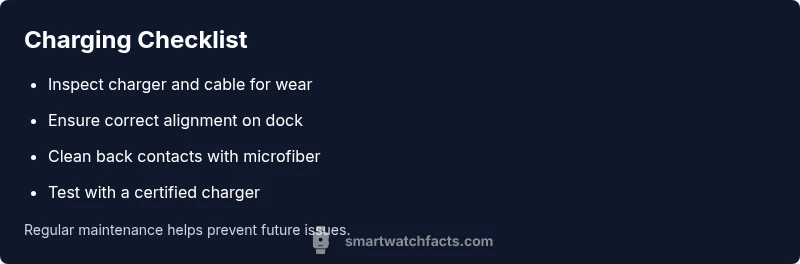
Before you panic, run through these fast checks. First, inspect your charger and cable for visible wear, fraying, or kinks. A damaged cable can fail intermittently. Second, ensure the watch sits correctly on the charging cradle and that the connectors align with the back of the device. Third, wipe the charging contacts on both the watch and the charger with a dry microfiber to remove oils, sweat, or dust. If you notice corrosion or stubborn residue, avoid rubbing hard and repeat after drying. In addition, confirm the charger is compatible with your model; some devices need the original charger or a certified accessory. Remember, these steps address the most common failures and don’t require tools.
How to test with different chargers and outlets
If the basics check out but charging remains inconsistent, test with a different charger and a different outlet. Use a known-good USB adapter or the original charger if possible. Plate your test in a controlled way: connect, observe for 60–120 seconds, and note whether the green light, LED indicator, or on-screen battery icon responds. If charging starts with a new charger but stops when you move the watch, the issue is likely the original charger or the cradle. If none of the chargers work, the problem may be the watch’s interior battery or a software fault.
Cleaning and maintaining charging contacts
Regular cleaning can prevent many charging problems. Power off the watch before cleaning. Use a dry microfiber to wipe both the back of the watch and the charging dock or cable tip. If there’s stubborn grime, dampen the microfiber slightly with distilled water—never spray liquid directly onto the device or charger. After cleaning, reattach and observe for charging. Do not use metal tools or abrasives, which can scratch or short the contacts. Consider performing this routine monthly if you sweat heavily or work in dusty environments.
Software and firmware checks that affect charging
Software issues can affect charging behavior even when hardware is fine. Ensure your watch OS is up to date, as manufacturers fix charging-related bugs through firmware updates. Restart the watch after updates and perform a test charge. If the problem began after a recent app install or change in settings, try a soft reset or revert those changes. In some cases, a factory reset may be recommended, but back up your data first. Automations and battery optimizations can also influence charging; review power settings to avoid aggressive sleep modes that mimic charging failures.
Battery health and age: when to consider replacement
Battery capacity naturally degrades over time. If your watch consistently fails to hold a charge after a full cycle of fixes, the internal battery may be nearing the end of its life. Signs include rapid drop in screen brightness, unexpectedly short runtime, or the watch never reaching full charge despite a healthy charger. Before replacing the watch, check warranty coverage and official service options. Smartwatch Facts notes that battery aging is common in older models, and a professional assessment can confirm whether a battery replacement is viable or if a new device is more cost-effective.
Safety and prevention tips
Safety comes first. Avoid charging devices in damp areas or near heat sources. Do not leave chargers or devices in direct sunlight, and unplug if you notice heat, a burning smell, or unusual noise. Use only certified accessories, avoid forceful insertion, and never attempt to pry open the charging port. Regularly inspect cables for wear, store chargers in a dry, cool place, and keep firmware updated to minimize recurring issues. With these precautions, you can reduce the likelihood of future charging problems and extend device longevity.
What to do if none of these work
If none of the above steps resolve the issue, consult official support or a certified service provider. Document the steps you tried to help the technician diagnose faster. If the device is under warranty, check coverage for charging-related defects, and request a replacement or repair as appropriate. You should also consider whether a newer model offers better reliability and warranty terms. Smartwatch Facts recommends pursuing professional help when hardware faults or battery degradation are suspected, as attempting risky repairs can void warranties.
Quick maintenance routine to prevent charging issues
Create a simple monthly routine: inspect cables for wear, clean contacts, test charging with a known-good charger, update firmware, and back up data. This routine minimizes downtime and helps you spot issues early. Keep a spare certified charger on hand and designate a dedicated charging spot to reduce misplacement. Adopting these habits aligns with best practices from the Smartwatch Facts team and keeps your watch ready when you need it.
Steps
Estimated time: 20-35 minutes
- 1
Gather and inspect the charger
Collect the original charger (or a certified alternative) and inspect the cable for frays, kinks, or damage. Ensure the outlet is working by testing another device. Clean hands and dry surfaces prevent moisture transfer.
Tip: Use a flashlight to check the connector for hidden debris. - 2
Clean charging contacts
Power off the watch and dock. Wipe the back of the watch and the charging contacts on the dock with a dry microfiber. If residue persists, repeat gently or use a tiny amount of isopropyl alcohol on the cloth (damp, not wet). Dry before reattachment.
Tip: Never use metal tools or liquids directly on the device. - 3
Reseat and align the device
Place the watch squarely on the charging cradle or dock. Ensure the magnetic or pin connectors align and click or sit snugly. Verify the charging indicator appears within a minute.
Tip: Avoid tilting the watch; a stable, flat position improves contact. - 4
Test with another charger/outlet
If available, try a different certified charger and a different outlet. This helps determine whether the issue is cable-related or a wall outlet problem.
Tip: If the other charger works, the original is likely faulty. - 5
Check for software updates
Navigate to the watch’s settings and check for firmware updates. Install any pending updates, then reboot and test charging again.
Tip: Back up data before a factory reset, if required. - 6
Assess battery health
If charging still fails after hardware and software fixes, assess battery health with built-in diagnostics or official tools. Consider professional evaluation for battery-replacement options.
Tip: Battery degradation is common with older devices. - 7
Seek professional help if needed
If none of the steps resolve the problem, contact the manufacturer’s support or a certified service provider. Warranties may cover charging port or battery repair.
Tip: Document steps tried to expedite service.
Diagnosis: Watch won't charge or charges intermittently
Possible Causes
- highPower issue: damaged or loose charger or cable
- highDirty or oxidized charging contacts on watch or dock
- mediumMoisture intrusion or sweat in charging area
- lowSoftware bug or outdated firmware affecting charging
Fixes
- easyInspect and reseat the charger, replace if visibly damaged
- easyClean the charging contacts on the watch and charger with a dry microfiber
- easyTest with a different certified charger and different outlet
- easyRestart the watch and install available firmware updates
- mediumIf issues persist, consult manufacturer support for battery or port service
People Also Ask
Why won't my smartwatch charge at all?
Common causes include a damaged charging cable, a worn charger, or moisture in the charging area. Begin with simple checks like reseating, cleaning contacts, and trying a certified charger.
Common causes include a damaged charger, moisture, or a worn cable. Start with reseating, cleaning contacts, and trying a certified charger.
Why is charging intermittent even with a good charger?
Intermittent charging usually points to loose cables, dirty contacts, or misalignment. Clean the contacts, reseat properly, and test with another charger to confirm.
Intermittent charging is often due to loose cables or dirty contacts. Clean, reseat, and test with another charger.
Can software updates fix charging problems?
Yes. Firmware updates can resolve bugs that affect charging. Check for updates, install, and reboot the watch, then test charging again.
Yes. Firmware updates can fix charging bugs; install updates and reboot before testing again.
Is it safe to use a third-party charger?
Prefer manufacturer-certified chargers to avoid battery damage or safety risks. If you must use third-party, ensure it is certified and compatible with your model.
Prefer certified chargers to avoid damage. If using third-party, ensure compatibility and safety certifications.
How can I tell if the battery is degraded?
If charging becomes inconsistent and the device drains quickly, the battery may be aging. Consider a professional diagnostic to decide on replacement.
If charging is unreliable and runtime is short, the battery may be aging. Get a professional diagnostic to decide on replacement.
When should I seek professional help?
If none of the basic fixes work, contact support or a certified service. Warranties can cover charging-port or battery repairs.
If basics fail, contact support or a service provider; warranties may cover repairs.
Watch Video
Key Points
- Check cables and charger for wear and replace if damaged
- Clean contacts on watch and charger before testing
- Test with a certified charger and different outlet
- Update firmware and restart before evaluating hardware