How to Fix a Smartwatch Not Charging or Turning On
Discover proven steps to diagnose and fix a smartwatch that won't charge or power on. Quick tests, safe cleaning, reboot tricks, and guidance on when to seek professional help.


The most common reason a smartwatch won't charge or turn on is a faulty charger, dirty contacts, or a drained battery. Start by swapping in a known-good charger, clean the contacts, and verify the watch sits properly on the charging puck. If it still doesn't wake, perform a forced reboot and check for water damage; seek service if needed.
Why Your Smartwatch Might Not Charge or Power On
According to Smartwatch Facts, many charging issues start with simple, fixable causes. The most common culprits are a faulty charger or cable, dirty charging contacts, and a battery that has degraded from age or thermal stress. Software issues can also prevent a watch from booting, especially after a firmware update. In rare cases water exposure or moisture inside the charging area can short the circuit and stop charging altogether. Before you panic, run through a quick checklist to identify the root cause, because in most cases the fix is straightforward and inexpensive. This guide will walk you through practical tests and proven steps to get your watch charging again or powered on without guesswork.
Quick Checks You Can Do Today
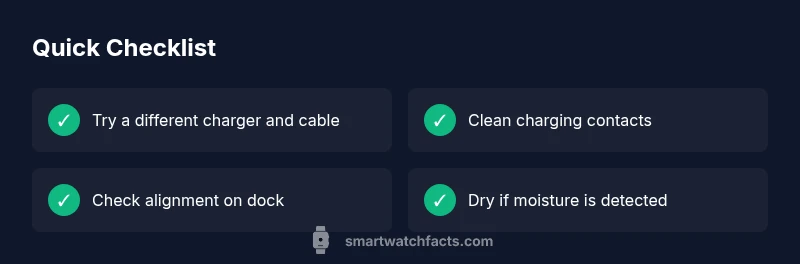
You can test several fixes without tools. Start by inspecting the charger and cables for wear or frayed insulation. If you have another charger of the same type, try it; if not, test the current charger on a different outlet or USB port. Ensure the watch sits squarely on the charging dock or magnetized puck and that the connectors align with the contacts. Wipe away any dust or pocket lint from both the watch back and the charger contact points with a dry microfiber cloth. If your watch has a visible charging indicator, watch for any blinking lights or on-screen prompts. Finally, check for visible moisture around the charging area and avoid charging if wet; dry thoroughly before retrying.
Diagnostic Clues: Matching Symptoms to Causes
Different symptoms point to different root causes. If there is no charging indicator or the watch remains completely dark after an hour, the issue may be the charger, cable, or battery health. If the screen flickers on while the charger is attached, this could indicate a software hang or boot issue. If a small amount of warmth is felt but the watch does not wake, the battery may be deeply discharged or degraded. If the watch briefly shows a logo but immediately turns off again, there may be a boot loop or power management fault. Moisture or water damage often presents as corrosion on contacts or a sensor error when attempting to wake the device. Mapping symptoms to these causes helps decide whether to clean, reboot, or seek service.
Step-by-Step Fixes for Common Causes
- Swap to a known-good charger and cable. Connect and leave for at least 15 minutes to see if the watch begins charging. If there is no response, move to the next step. Tip: Use the original charger when possible. 2. Clean the charging contacts. Power off the watch if possible, then use a dry microfiber cloth or a soft brush to remove lint, skin oils, and corrosion. Re-test after cleaning. 3. Re-seat the watch correctly. Place the device on the charger ensuring full contact with the back and the charging surface. Adjust alignment slowly until you feel it settle. 4. Force reboot if supported. Use the prescribed method for your model to restart the watch. Some watches require holding the side button for 8-10 seconds or a combination. 5. Check software state. If possible, connect to the companion app and verify the latest firmware is installed. 6. Assess battery health and service options. If the watch still won't power on after these steps, the battery may be degraded or there could be a hardware fault. Contact official support or a service center for battery replacement or diagnostic service. Safety: Do not press hard on the charging surface or use alcohol on the contacts, which can cause damage.
Safety, Prevention, and When to Seek Help
Charging safety matters. Avoid charging in wet areas or near liquids. Do not use damaged chargers and do not attempt to charge a device that visibly shows water ingress. Keep the charging dock clean and unplug when not in use to reduce wear. If the watch is under warranty, contact the manufacturer for repair options rather than attempting home repair. Seek professional service if the device shows water damage, a swollen battery, or continues to fail after all basic troubleshooting steps. Regular maintenance includes cleaning contacts, updating firmware, and using certified accessories. By following these practices, you can reduce future charging issues and extend the life of your smartwatch.
Steps
Estimated time: 20-45 minutes
- 1
Test with known-good charger
Connect the watch to a charger that you know works with another device. Leave it connected for at least 15 minutes and observe if the charging indicator appears. If nothing happens, move to the next step.
Tip: Using an official charger helps ensure the correct current delivery. - 2
Clean the charging contacts
Power off the watch if possible. Gently wipe the back of the watch and the charging pins with a dry microfiber cloth or a soft brush to remove dust, oils, or corrosion. Check again for any improvement.
Tip: Avoid using liquids or solvents which can seep into sensitive electronics. - 3
Re-seat the watch on the charger
Place the watch flat on the charging surface and ensure full contact between the back and the charger. Adjust alignment slowly until you feel the connector latch or the device settles.
Tip: A small misalignment can prevent charging even on a new charger. - 4
Force reboot if supported
Use the watch’s prescribed method to force a restart. This may involve holding a side/home button for several seconds or using a software option in settings. Do not interrupt the process once it begins.
Tip: A forced reboot can clear minor boot glitches without data loss. - 5
Check device software
If the watch powers on intermittently, verify that firmware is up to date via the companion app. Install any available updates and perform a test charge again.
Tip: Software issues are common after updates and can block charging. - 6
Assess battery health and seek service
If the watch still won\'t stay powered, the battery may be degraded or there is a hardware fault. Contact manufacturer support or a certified repair center for diagnosis and possible replacement.
Tip: Battery replacement is usually a service option, not a DIY task.
Diagnosis: Smartwatch won't charge or power on
Possible Causes
- highCharger or cable malfunction
- highCharging port or contacts dirty/damaged
- mediumBattery degraded due to age or heat exposure
- mediumSoftware hang or boot issue after update
- lowWater damage or moisture intrusion
Fixes
- easyTest with a known-good charger and cable, and try different outlets or USB ports
- easyClean charging contacts on watch and charger with a dry microfiber cloth
- easyEnsure watch is properly seated on the charging dock and aligned
- easyPerform a forced reboot or soft reset as per model guidance
- mediumUpdate firmware via companion app or contact support for software repairs
- mediumIf battery health is poor or water damage suspected, seek professional service
People Also Ask
Why won’t my smartwatch charge even when plugged in?
Likely causes include a bad charger, dirty contacts, or degraded battery. Try a different charger, clean contacts, and test with a known-good cable.
Common causes are a bad charger, dirty contacts, or a worn-out battery. Start by swapping chargers and cleaning contacts.
How do I reset my smartwatch if it won\'t turn on?
Most watches support a forced reboot or hard reset using model-specific steps. Check the manual for exact instructions.
Most watches allow a forced reboot. Look up your model's steps and try them carefully.
Can water damage affect charging?
Yes. Moisture can prevent charging and cause corrosion. Dry the device thoroughly and avoid charging until completely dry.
Water can stop charging; dry the device and charger before attempting again.
When should I replace the battery?
If the watch won\'t hold a charge after troubleshooting or drains unusually fast, battery replacement or service may be needed.
If the battery won\'t hold charge after fixes, consider replacement or service.
Will warranty cover charging issues?
Warranty terms vary. Check the manufacturer\'s policy for charging defects and service options.
Warranty depends on the terms; review coverage for charging faults and repair options.
Is using a USB hub okay for charging a smartwatch?
Use a direct charger or a powered USB port with sufficient current. Hubs may not provide stable power for all watches.
A direct charger usually works best; hubs can be unreliable for some watches.
Watch Video
Key Points
- Start with a known-good charger and clean contacts.
- Perform a forced reboot if your watch supports it.
- If the battery is degraded, plan for replacement or professional service.
- Always use certified accessories and consult support for warranty options.