Smart Watch Won't Charge: Quick Troubleshooting and Practical Fixes
An urgent, practical guide to diagnosing and fixing a smart watch that won't charge, covering safe checks, a diagnostic flow, step-by-step fixes, and prevention tips to restore power quickly.


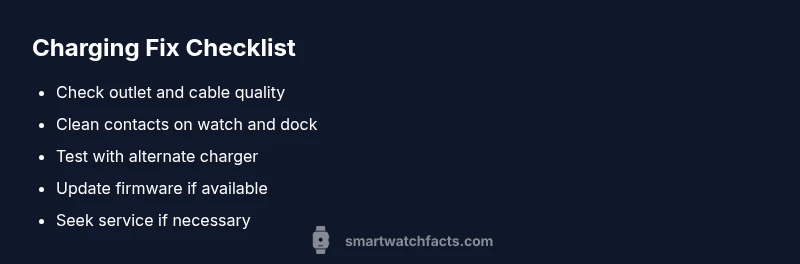
1) Securely connect the charger to a known-good outlet and ensure the cable or dock clicks into place. 2) Try a different charging cable or dock to rule out a faulty accessory. 3) Gently clean the watch's charging contacts and ensure alignment. 4) If still not charging, test with another charger or consult support.
Why charging failures happen
Charging problems are more common than people expect and often stem from simple, correctable causes. According to Smartwatch Facts, the majority of 'smart watch won't charge' incidents begin with a loose connection, a worn charger, or dirty contacts. Battery health and software hiccups can also contribute, especially on older models. When you first notice the issue, observe the charging indicator on the display and note whether it shows a battery icon, a plug symbol, or nothing at all. This context helps you select the right fix and avoid unnecessary accessory swaps. In many cases, a quick cable swap and a careful cleaning of the charging contacts resolves the problem within minutes. If the watch is water-damaged or deeply discharged, outcomes may vary and professional service could be required.
Quick checks you can perform safely
Safety first: unplug the charger before inspecting any hardware. Start with basic checks: look for damaged cables, bent connectors, or frayed insulation. If you have a wired charger, try a different cable and a different wall outlet. For wireless charging, verify proper alignment and ensure the watch sits centered on the pad. Clean the charging contacts on both the watch and dock with a dry microfiber cloth, removing dust and lint. If a band or accessory is pressing on the charging area, remove it and re-test. These safe, low-effort steps fix most 'smart watch won’t charge' scenarios.
Diagnostic flow: symptom to diagnosis
Symptom: the watch shows no charging activity or charges intermittently. Start by ruling out power issues (outlet, cable, dock) before moving to device-level causes like a dirty port or degraded battery. Smartwatch Facts analysis shows accessory quality as a leading factor in charging failures. Build a short checklist: is there any charging indicator? Is a particular charger causing the issue? Is the problem consistent across outlets and cables? Follow the flow: test with a known-good charger, inspect for visible damage, then escalate to software checks if needed.
Step-by-step fix: the most common cause
- Secure the charger and re-test with a known-good outlet. 2) Swap the charging cable or dock to identify a defective accessory. 3) Clean the charging contacts on both the watch and the dock and re-seat the device properly. 4) Confirm the watch is aligned to trigger the charging indicator. 5) If none of these steps work, try a different charger or test the watch on another power source for a final check.
Advanced fixes if the basics fail
If basic checks fail, update the watch’s firmware through the companion app and check for related charging fixes. Inspect for water exposure or corrosion around the charging port. Some devices support a soft reset to refresh charging services; others may require a factory reset (data backup recommended). If charging remains impossible, contact official support for battery assessment or replacement, especially if the watch is under warranty.
Prevention tips and best practices
To maintain reliable charging, avoid letting the battery fully discharge regularly and keep the watch in a cool, ventilated area while charging. Use certified chargers and docks, and replace worn cables promptly. Regularly inspect charging contacts for lint or corrosion and clean them as needed. Store the watch away from extreme temperatures and moisture to extend overall battery health.
Steps
Estimated time: 60-90 minutes
- 1
Check charger and outlet
Unplug and re-plug the charger into a known-good outlet. Inspect the cable for cuts or bends; replace if damaged. Reconnect firmly to the charger and watch for a charging indicator.
Tip: Using a surge-protected outlet can help reduce power variability. - 2
Swap accessories
Try a different charging cable or dock. If the watch charges with the alternate accessory, you’ve identified a faulty charger.
Tip: Label the working charger for future reference. - 3
Clean contacts and re-seat
Power off the watch if possible, then wipe the charging contacts on both watch and dock with a dry microfiber cloth. Ensure alignment and no obstruction.
Tip: Avoid moisture; never use cleaners that leave residue. - 4
Test on multiple outlets
Test charging in a different room or outlet. Some outlets can be low-power or controlled by wall switches which can interrupt charging.
Tip: If there’s power-saving mode on the outlet, disable it temporarily. - 5
Update firmware/ software
Connect to the companion app and check for firmware updates related to charging. Install any available updates and restart the watch.
Tip: Back up data before performing updates. - 6
Consider reset or service
If charging still fails, perform a soft reset or factory reset as a last resort. If the device is under warranty, contact support for battery replacement options.
Tip: Preserve data by syncing to the app before reset.
Diagnosis: Smart watch won't charge
Possible Causes
- highPower issue (outlet or charger)
- highFaulty charging cable or dock
- mediumDirty or corroded charging contacts
- lowIncompatible charger (wireless vs wired)
- lowSoftware issue causing charging service failure
Fixes
- easyTest with a known-good charger and cable
- easyClean charging contacts and inspect for debris
- easyTry a different outlet or charging dock
- mediumUpdate firmware via companion app or reset charging services
- hardFactory reset or battery service if hardware damage is suspected
People Also Ask
Why won’t my smart watch charge even when plugged in?
Most times the issue is a faulty charger, damaged cable, or dirty contacts. Start with quick checks and then test with another charger.
Common causes are a bad charger, cable, or dirty contacts. Start with quick checks.
Can software updates affect charging?
Yes, some firmware updates fix charging bugs. Update via the companion app and reboot the watch to apply changes.
Software updates can fix charging bugs. Update via the app and reboot.
Is it safe to reset my smartwatch to fix charging?
A soft reset is usually safe and preserves data; a factory reset will erase apps and data. Back up first.
Resetting can help; back up before a factory reset.
What if the watch is still under warranty?
Contact the manufacturer’s support or retailer for a battery replacement or service under warranty.
If under warranty, contact support for repair or replacement.
Are wireless chargers different from wired chargers?
Wireless charging requires proper alignment and a compatible pad. If wired, ensure the cable is intact. Mixing types can cause issues.
Make sure you’re using the right charger type and align correctly.
Watch Video
Key Points
- Check accessory integrity first
- Clean contacts regularly
- Avoid cheap third-party chargers
- Backup data before resets