How to Know Your Smartwatch Model
Learn how to identify your smartwatch model quickly by checking the device, settings, packaging, and serials. This practical guide helps you verify model numbers for updates, warranty coverage, and support.


To know smart watch model, start with the device, its settings, and the packaging. This steps-based guide answers how to know smart watch model by guiding you to model numbers, OS version, and serials, then verify with official documentation. By following these steps you’ll confidently identify the exact model for updates, apps, and warranty support. It also explains common abbreviations and where to look if you have a worn device.
Why Knowing Your Smartwatch Model Matters
Knowing your smartwatch model matters for several practical reasons. It helps you ensure compatibility with apps, firmware updates, and service plans. When you know the exact model, you can compare features accurately, verify compatibility with your phone’s operating system, and avoid buying accessories or bands that don’t fit. The Smartwatch Facts team has found that users who confirm their model spend less time troubleshooting, reducing frustration during software updates or when seeking official support. This guide equips you with a clear, repeatable process to identify your model across brands, generations, and regional variants.
Quick Ways to Identify the Model on the Watch
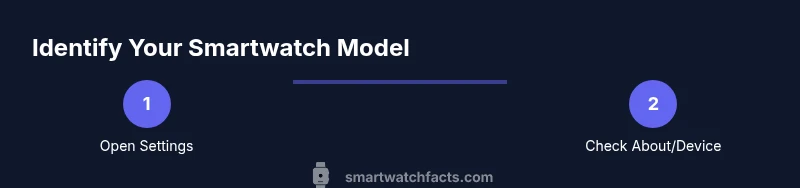
Identifying the model often starts on the device itself. Open Settings and look for sections named About, System, or Device Information. These areas typically display the model name or number, along with OS version and build. If you see multiple lines, copy both the model and any SKU present. If the model isn’t obvious here, flip to the back of the watch; some brands engrave or print the model number there. Finally, use the companion app on your phone, which often lists the device details and maps to the exact variant. Smartwatch Facts notes that cross-checking across sources increases accuracy.
Reading the Model Number on the Back Case and Packaging
Back-case labeling is a reliable fallback. Look for a model name or SKU etched near the charging contacts or along the bottom edge. If engraving is faint, illuminate the area and take a close-up photo to capture the digits clearly. Packaging labels also carry the exact model designation—often near the bottom or on a side label. The included quick-start guide or warranty card may display the same information. Keep packaging handy until you confirm the correct model, especially when you own multiple devices from the same line.
Using the Settings Menu to Find Model Details
Settings menus frequently hold the most authoritative model details. Navigate to Settings > About or System > About and scan for fields like Model, Hardware, Series, or SKU. On many watches, the model is listed alongside the OS version and build number. If you find only a serial without a model name, copy the serial and search the manufacturer’s support site; many map serials to a model variant. If you use a companion app, check the device page there as well.
Inspecting Packaging, Documentation, and Accessories
Packaging and paperwork often reveal the model when the watch itself is ambiguous. Inspect the box label for the model name and SKU, and review the manual for the product designation. If you kept the receipt, it may list the model or SKU alongside the purchase details. Accessories like chargers or replacement bands sometimes indicate the model variant (certain sizes or bundles). Retain all packaging until you’ve mapped the device to its official model to avoid confusion later on.
Cross-Checking with OS, Series, and Connectivity Features
After you assemble a candidate model, verify by comparing distinctive hardware features. Check the sensors, display type and resolution, and connectivity options (Bluetooth version, GPS, NFC) that differ between variants. If the watch has an associated app store listing, compare device requirements and features with your device. OS compatibility is another tell: some models support narrow ranges of OS versions; confirming this helps prevent failed updates or incompatible apps.
Practical Pitfalls and How to Avoid Them
A common pitfall is assuming all watches in a model line share the exact same name. Some brands reuse numbers across years or regional variants. Marketing names can differ from technical model IDs. To avoid misidentification, corroborate the model from at least two independent sources: the device itself and the official packaging or support pages. If you recently changed accessories, ensure those changes didn’t obscure the model labels. When in doubt, repeat checks on a different source before making decisions about updates or returns.
When to Verify with Official Support and How to Prepare Information
If you still can’t confirm the exact model after checking the device, packaging, and app, contact the manufacturer’s support. Have clear photos of the back, the packaging label, and any serial numbers ready. Note the purchase date, retailer, and region, as some models vary by location. Explain the issue you’re solving—whether it’s a warranty question, a compatibility concern, or an update you want to install—so the support agent can map your device to the correct variant.
Tools & Materials
- Official smartwatch user manual(Look for model number and SKU on the product information page)
- Original packaging and warranty card(Box labels often show model name and SKU; keep for reference)
- Smartphone with internet access(To cross-check device details on the manufacturer site or app)
Steps
Estimated time: 30-60 minutes
- 1
Power on the watch and access Settings
Turn on the device and open the Settings app. Navigate to About or System information to locate the model name or number. Note any accompanying OS version or build number for cross-reference.
Tip: If you can’t find About, use the search function in Settings. - 2
Record model number and OS details
Copy or write down the model name, model code, SKU, OS version, and build. This creates a quick reference you can compare against official pages.
Tip: Keep a photo of the screen for later matching. - 3
Inspect the back case for engravings
Flip the watch and inspect near the sensors or charging contacts for a model number. Use adequate lighting and a magnifier if needed.
Tip: A clear photo helps avoid misreading small engravings. - 4
Check the packaging label
Look at the bottom/side labels on the box for model name and SKU that correspond to your watch generation.
Tip: Compare with the model you noted from the watch screen. - 5
Consult the manual and warranty card
Open the included documentation; many list the exact model designation and serial range.
Tip: Documentation is often overlooked but highly reliable. - 6
Use the companion app for device details
Open the official app and locate the device page where model, serial, and variant are shown.
Tip: Apps often map internal codes to consumer-friendly model names. - 7
Cross-check against official product pages
Match the model number with the brand’s official product pages to confirm variant specifics.
Tip: Watch the screenshots or design cues for confirmation. - 8
Verify OS compatibility and features
Ensure the model supports your current OS version and expected features (sensors, GPS, NFC).
Tip: Mismatches often cause update or app compatibility issues. - 9
If uncertain, contact support with photos
When you can’t confirm, reach out with clear photos of the back, box labels, and serial.
Tip: Provide purchase details and region for faster help. - 10
Create a quick reference for future use
Document model details in a single note or file for easy retrieval later.
Tip: Label and store along with warranty and purchase information. - 11
Test a basic update or app pairing
If possible, attempt a basic firmware update or app pairing to verify the model supports these actions.
Tip: A successful test confirms the identified model is correct. - 12
Review and store the confirmation
Summarize how you identified the model and where the evidence is stored for future needs.
Tip: Keep the notes organized for quick future checks.
People Also Ask
What should I do if the model number is unreadable on the device?
If the label is unreadable, rely on alternative sources like the packaging, the user manual, and the companion app. Compare available details with official product pages to confirm the model. If still unsure, contact support with clear photos and the purchase details.
If the label is unreadable, use packaging and the app to identify the model, and contact support with photos if needed.
Is the model number the same as the device name?
Not always. Marketing names may differ from the technical model or SKU. Look for the numeric or alphanumeric code under About or on the packaging to be sure.
Marketing names can differ from the exact model. Check the numeric code under About or on the box.
Can I identify the model from features alone?
Features can hint at a family, but variants often share features. Use the exact model number to confirm which variant you have.
Features help narrow it down, but the exact model number confirms the variant.
Do all brands list model numbers in settings?
Many do, but some brands hide the model ID behind menus or in the companion app. If you can’t locate it, use packaging and support pages.
Most brands list it, but some hide it in menus or the app.
What if I bought a used watch?
Check the serial against the seller’s information and request packaging/manuals to verify the model. If uncertain, contact the manufacturer with photos.
With a used watch, verify serials and packaging, then contact support if needed.
How do I contact support for model confirmation?
Provide clear photos of the back, packaging, and serial; include purchase details and region. A mapped model helps with accurate updates and warranty.
Contact support with photos and purchase details to map to the correct variant.
Watch Video
Key Points
- Identify model from settings and packaging
- Cross-check with official sources to confirm
- Use serials/SKUs for precise matching
- Keep a reference sheet for future updates
- Contact support with photos if unsure