How to Tell If a Smart Watch Is Fake: A Practical Guide
Learn practical steps to verify smartwatch authenticity, spot telltale signs of fakes, and protect your purchase with expert guidance from Smartwatch Facts.


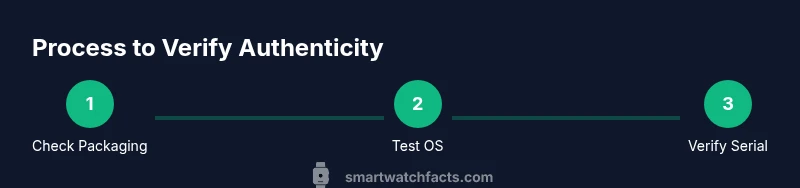
You can verify authenticity with a simple, repeatable process: inspect packaging and build quality, verify the OS and sensor performance, and compare the device’s specs against official data. This step-by-step approach helps consumers avoid fakes and makes the purchase safer. Start with price and packaging, then test hardware and software against trusted sources.
Why authenticity matters for smartwatches
If you're asking how to tell if a smart watch is fake, you’re not alone. Counterfeit wearables flood marketplaces and often replicate branding, but their firmware, sensors, and durability fall short of official models. The Smartwatch Facts team has found that authentic devices tend to align closely with manufacturer specifications, receive regular firmware updates, and ship with verified serials and warranties. Investing time to verify authenticity protects your data, personal security, and your wallet—especially when shopping from third-party sellers or unfamiliar marketplaces. By understanding common counterfeit traits, you can avoid wasted money and the frustration of returns. This guide walks you through practical checks that apply to most popular brands while staying mindful of variations in features and regional models.
Quick checks you can do before buying
When you’re evaluating a smartwatch in-store or online, start with the basics and escalate to deeper testing if something feels off. Look for a crisp logo, proper spelling on packaging, and intact seals. Compare the listed specifications (RAM, storage, battery life, refresh rate) with official listings. If the price is dramatically lower than retail or the seller can’t provide verifiable documentation, treat it as a red flag. Use the official retailer or brand site to cross-check model numbers and firmware versions. In many cases, a legitimate watch will have consistent packaging, accessories, and serials that match the product page. As Smartwatch Facts notes, the most reliable signals come from documentation, consistent branding, and testable software behavior.
Hardware review: build quality, labeling, and materials
Authentic watches use durable materials and precise manufacturing tolerances. Inspect the casing for gaps, misaligned bezels, or loose buttons. Check the display for uniform brightness and responsiveness; fake devices often exhibit delayed touch input, color inconsistencies, or lower-resolution screens. Pay attention to labeling on the back plate and band clasps—real models include model codes that can be cross-referenced with official databases. If branding elements look off, fonts appear cheap, or the device feels lighter than expected, these are clear warning signs. This section helps you separate genuine devices from convincing fakes that rely on surface-level aesthetics to deceive buyers.
Software and sensors: OS, apps, and performance
The operating system cadence is a strong authenticity indicator. Real watches boot quickly, present a polished UI, and load companion apps reliably. Test essential sensors (heart rate, accelerometer, GPS) and compare readings with a trusted device or app. If the OS behaves oddly, closes apps unexpectedly, or sensors report inconsistent data, this suggests counterfeit firmware or hardware. Official watches receive firmware updates from the manufacturer; counterfeit devices often lack update support or show mismatched version numbers. Use the manufacturer app to verify model compatibility and access legitimate app ecosystems. This block emphasizes how software integrity often reveals counterfeit intent more reliably than cosmetic cues alone.
Packaging, serials, and warranty: the documentary trail
Everything starts at packaging and paperwork. Authentic products ship with a sealed box, a model-specific serial number, and an accompanying warranty card or receipt. Verify the serial against the device or the brand’s online portal, and look for holographic seals or security stickers that counterfeiters rarely reproduce accurately. Inspect included accessories—charging cables, adapters, and extra bands should match official product bundles. If any component is missing, the serial cannot be validated, or the warranty appears non-transferable or invalid, proceed with caution. This verification trail is your best defense against hidden counterfeit inventory and poor after-sales support.
Red flags you should not ignore in listings and sellers
Low prices, vague seller histories, and inconsistent photos are common red flags. Be wary of sellers who refuse to disclose model numbers, firmware versions, or warranty details. Counterfeit listings often show stock photos rather than original product images, or they use suspiciously generic branding. Another frequent cue is an attacker leveraging social media marketplaces with newly created profiles and generic contact points. If you encounter any of these signs, pause the transaction and request verifiable documentation, or buy from authorized retailers only. The goal is to build a transparent trail from purchase to ownership, not a mystery shipment later revealed as a fake.
How to verify with official support and avoid fake chargers
If you have doubts after the initial checks, contact official support channels. Provide the model number, serial, purchase details, and any firmware screenshots. Official support can confirm authenticity and guide you through verification steps. Beware of third-party chargers; counterfeit charging accessories can damage the device or affect battery health. Always use the original charger or an approved replacement from the brand. If a seller pressures you to skip checks or promises ‘limited-time’ availability, back away and seek a verified retailer. This final stage helps ensure the device you own or plan to purchase is fully legitimate and safe to use.
Tools & Materials
- Official purchase receipt(Proof of purchase from an authorized retailer)
- Original box and packaging(Includes model number and serial code)
- Serial number or IMEI(Match with manufacturer portal)
- Official manufacturer app(Installed on a verified device)
- Trusted internet connection(For firmware checks and portal lookups)
- Magnifying glass or loupe(Inspect fine print and engravings)
- USB cable and adapter(Use original accessories when testing)
- Official specifications sheet(Cross-reference model data)
Steps
Estimated time: 25-40 minutes
- 1
Gather proof and model details
Collect the receipt, box, serial number, and any packaging inserts. Note the model number and regional variant. This establishes a baseline for all subsequent checks.
Tip: Keep digital photos of packaging and product pages for quick reference. - 2
Inspect physical design and labeling
Examine the casing, button alignment, display clarity, and band attachments. Look for typos, swapped logos, or misaligned engravings that hint at counterfeit production.
Tip: Compare fonts, logo placement, and finish with official product photos from the brand site. - 3
Power on and test the OS
Boot the device and navigate the OS. Check for smooth animations, responsive touch, and legible text. Verify that the home screen and apps resemble the official interface.
Tip: If the device lags or shows a spoofed UI, that’s a major red flag. - 4
Validate sensors and performance
Test the heart-rate sensor, accelerometer, GPS, and other features. Record sample readings and compare with another trusted device or app.
Tip: A significant deviation in sensor data is often a counterfeit indicator. - 5
Check firmware version and app compatibility
Open settings to view firmware version and verify it matches the latest release for that model. Confirm the watch pairs with the manufacturer app and official app store listings.
Tip: Unavailable firmware updates or mismatched app compatibility strongly suggest a fake. - 6
Verify serial, warranty, and support
Enter the serial on the official portal or contact support to confirm validity and warranty eligibility.
Tip: Request a formal warranty inquiry to ensure legitimacy and future support.
People Also Ask
What are the most obvious signs a smartwatch is fake?
Common indicators include mismatched branding, poor build quality, laggy UI, unreliable sensors, and missing or non-functional official apps. Packaging and serials often don’t align with official records.
Look for branding inconsistencies, flaky performance, and missing official app support as quick telltales.
Can official apps automatically detect fakes?
Official manufacturer apps can verify model compatibility and firmware integrity, but they can’t rely on them alone. Always cross-check serials, packaging, and warranty status with the brand.
Apps help, but you should also verify hardware and packaging directly with the manufacturer.
Is price the only red flag to watch for?
Price is a strong signal but not conclusive. Even premium models can be counterfeited or misrepresented. Always verify with official sources and documentation.
Price matters, but never rely on price alone to judge authenticity.
How do I verify a serial number?
Enter the serial or IMEI on the brand’s official portal or contact support to confirm legitimacy and warranty eligibility.
Check the serial with the brand’s portal to confirm authenticity.
What should I do if I suspect a fake?
Stop using the device, document everything, contact the seller and brand support, and pursue a return or refund through the retailer. Avoid future transactions with the same seller.
If you suspect a fake, stop using it and reach out to the brand and seller for a safe resolution.
Do all fakes look exactly the same?
Many fakes mimic the look but fail in firmware, sensors, and warranty terms. A careful hardware and software test will reveal substantial differences.
Fakes often copy the look but fail under software and hardware testing.
Watch Video
Key Points
- Verify serials against official databases.
- Inspect packaging and build quality thoroughly.
- Test OS, sensors, and app compatibility for authenticity.
- Document everything with receipts and support verification.