How to Check If a Smartwatch Is Original
A practical, step-by-step guide to verify smartwatch authenticity—from packaging and serial numbers to firmware and official apps—so you can avoid fakes and protect your data.


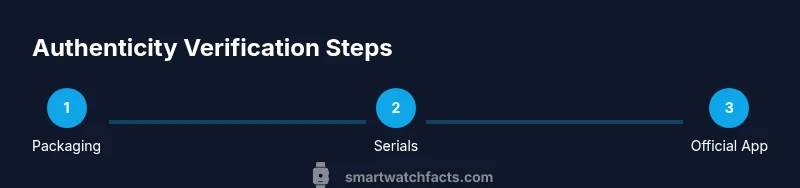
To check if a smartwatch is original, verify packaging, serial numbers, firmware, and official app compatibility. Start by buying from authorized retailers, inspect build quality, logos, and fonts, then cross-check the device’s serial with the manufacturer’s site, install the official app, and run a short feature test. This quick guide helps you avoid fakes.
Why authenticity matters
Authenticity is not just about a label or a logo; it directly affects your data security, warranty coverage, and device longevity. Counterfeit smartwatches can appear convincing but may ship with insecure bootloaders, outdated firmware, and non-certifed sensors, which degrade accuracy and expose your personal information. Smartwatch Facts analysis shows that many fakes bypass simple branding checks but fail in firmware signing and serial validation, making post-purchase support and security patches unreliable. For most buyers, the cost of a counterfeit includes unreliable heart-rate data, miscalibrated sensors, and potential malware risk through third-party apps. Understanding these risks helps you prioritize checks that matter most when you shop, unbox, or compare models.
Visual and packaging cues to inspect
Packaging and branding are the first defense line. Look for crisp logos, consistent font choices, and correct branding across all surfaces—front box, lid, protective wraps, and documentation. Genuine watches usually ship with a serial number sticker on the box, a model name that exactly matches the official listing, and printed accessories that align with the product page. Check the weight and finish of the watch body; counterfeit units often feel lighter or mis-shapen. Lightly inspect microtext on the screen bezel and the back of the case; misaligned text, odd kerning, or misspellings are common counterfeit flags. Finally, verify the packaging includes all official manuals, warranty cards, and the correct charging cable.
Serial numbers and hardware identifiers
Every original smartwatch carries a unique serial number (and sometimes an IMEI) that can be cross-validated with the manufacturer. Locate the serial at the back of the watch, on the packaging, and inside the settings menu or companion app. When possible, enter the serial on the manufacturer’s official verification page or use the official app’s device validation feature to confirm a match. Inconsistent or absent serial data is a major red flag. If the serial cannot be found or does not align across surfaces, treat the device as suspicious and seek official support.
Firmware, OS, and official app ecosystem checks
Authentic devices run signed firmware that you can verify via the official companion app or the manufacturer’s software updater. Check the OS version, build number, and security patches; counterfeit units often ship with outdated or tampered firmware that cannot receive official updates. Install the official smartwatch app from the appropriate app store and pair the device exactly as the manufacturer’s setup guide describes. If the app refuses to recognize the device, or the pairing flow diverges from the official tutorial, this is a critical authenticity indicator. A genuine smartwatch will register with the app and show a legitimate device ID, certified services, and system health checks.
Retail channels, price sanity, and warranty considerations
Always prefer authorized retailers or manufacturer-owned outlets. If a deal looks too good to be true, it likely is. Compare the listed price against the official store and reputable retailers, noting any steep discounts, unclear return policies, or unusual payment methods. Check warranty eligibility by entering the serial into the manufacturer’s warranty portal—fake devices frequently lack valid warranty coverage. Retain your receipt and verify the purchase channel; official warranty support often requires proof of purchase from an authorized source.
Data security implications and user experience differences
Authentic watches integrate with trusted ecosystems that protect your health data and personal information. Counterfeits may rely on insecure app repositories or preinstalled services that request excessive permissions, potentially exposing data to third parties. Compare the smartwatch’s sensor readings, app responses, and notification performance with documented behavior from the official product page. If you notice inconsistent heart-rate readings, GPS drift, or laggy responses that don’t align with the model’s stated capabilities, consider the possibility of a counterfeit unit and discontinue use until verification.
What to do if you suspect a counterfeit
If checks raise concerns, pause further use and request official support. Contact the brand’s customer service through the official website or verified channels, provide your serial number, model name, and purchase proof. Do not attempt to flash firmware from unofficial sources or install apps from third-party stores. In many cases, you can return the product to the seller, request a replacement, or initiate a warranty claim. Document every step of the verification process for future reference and to expedite resolution.
Authority sources
For authenticity verification guidance, you can consult official consumer protection and standards resources. Smartwatch Facts recommends referencing manufacturer support pages and independent testing when possible. External, authoritative sources provide additional context on counterfeit electronics and consumer rights. See the links below for further reading and official verification steps.
Quick practical verification checklist
- Check box shows matching model name and serial on the label.
- Serial on the watch matches the packaging and the official site/app.
- Firmware has a current signature and recent security patches.
- The official companion app successfully detects and lists the device.
- Purchase came from an authorized retailer; warranty is valid.
- Accessories align with the official product page (cables, chargers, manuals).
Common counterfeit red flags you should know
Beware of unusually low prices, odd fonts, misspellings in branding, and inconsistent packaging. If the device lacks a verifiable serial, fails to pair with the official app, or cannot receive updates, treat it as counterfeit. Never rely on third-party firmware or app stores for genuine devices, and always confirm warranty status and support options with the manufacturer.
Tools & Materials
- Official retailer receipt or proof of purchase(Keeps warranty eligibility and supports verification)
- Official packaging and manuals(Box label, model name, serial sticker, warranty card)
- Smartwatch device itself(Inspect build quality, clasp, seals, and button placement)
- Compatible smartphone with the official smartwatch app installed(Used for pairing, firmware checks, and verification flow)
- Stable internet access(Needed to access official verification pages and updates)
- Good lighting and magnification (optional)(Helps inspect logos, microtext, and serials)
Steps
Estimated time: 30-60 minutes
- 1
Inspect packaging and branding
Power up your inspection by examining the box, labels, and included manuals. Look for alignment with official fonts, logos, and color schemes. Compare serial numbers on the box with those on the device; any mismatch should raise suspicion and prompt further checks.
Tip: Compare logos to the official brand guidelines and check for consistent print quality. - 2
Locate the serial/ID on device and packaging
Find the serial number printed on the back of the watch and on the packaging. If the serial is hard to locate, consult the official setup guide. A missing serial is a strong counterfeit indicator.
Tip: Note both serials in a secure place for later cross-checks. - 3
Cross-check serial with official database
Enter the serial into the manufacturer’s official verification page or use the companion app’s device validation feature. Look for a confirmation page that matches the exact model name and region.
Tip: Only rely on official URLs or the branded app for verification. - 4
Verify firmware and updates via official app
Open the official smartwatch app and check the firmware version and security patch level. Attempt to perform an update; counterfeit devices often fail to fetch legitimate updates or show tampered signatures.
Tip: If the app blocks updates or shows a nonstandard build, treat it as suspicious. - 5
Pair with the official companion app
Follow the official pairing flow exactly as described by the manufacturer. A genuine device will appear as a listed device with a valid ID and health checks in the app.
Tip: Avoid pairing through third-party or unverified apps. - 6
Check bundled accessories against official specs
Unbox the charger, cables, and extra bands and compare against the official product page. Missing or misaligned accessories often accompany counterfeit devices.
Tip: Keep packaging content consistent with the product listing. - 7
Test key features and sensors
Perform quick tests of heart-rate monitoring, step counting, GPS, and sleep tracking. Compare results with expected performance and official references for your model.
Tip: Inconsistent sensor data may indicate a counterfeit or malfunctioning device. - 8
Check warranty status and purchase proof
Enter the serial into the manufacturer’s warranty portal using your proof of purchase to confirm eligibility. If warranty cannot be validated, contact support before using the device more.
Tip: Keep your receipt safe; it simplifies warranty claims. - 9
Decide based on a fairness test
If more than one check fails, or a single critical check fails (serial, app pairing, or firmware), do not rely on the device. Seek a replacement from an authorized retailer or fan a claim.
Tip: When in doubt, contact official support for guidance.
People Also Ask
What is the quickest way to tell if a smartwatch is original?
Start with the packaging and serial numbers, then verify via the official app and firmware updates. If any step fails, treat the device as suspicious and seek official support.
Quick check: verify packaging, serial number, and official app compatibility; if any step fails, contact the brand for support.
Can a fake smartwatch run the official app?
Some counterfeit devices attempt to install official-looking apps, but they often fail to pair correctly or show inconsistent device IDs and update behavior.
Some fakes may try to run the official app, but pairing or updates usually reveal issues.
What should I do if the serial number doesn’t match?
Do not use the device and contact official support with photos of the serials and your receipt. The seller may be non-authorized, and warranty could be void.
If the serial doesn’t match, contact official support and avoid using the device until cleared.
Are there signs on the packaging that are easy to spot counterfeit?
Yes. Look for font inconsistencies, misaligned logos, odd spacing, and missing or damaged warranty cards. Compare with the official product page imagery.
Yes—look for font and logo inconsistencies and missing warranty cards compared to official images.
If I bought from a marketplace, can I still verify authenticity?
Yes, but require proof of purchase and check if the seller is authorized. If you have doubts, contact the manufacturer’s support and request a verification.
You can verify, but ensure seller authorization and keep proof of purchase; contact support if unsure.
Do counterfeit watches always have poor performance?
Not always; some fakes imitate appearance but often fail in long-term reliability, updates, or sensor accuracy.
Fakes may look real but usually underperform in updates or sensor accuracy.
Watch Video
Key Points
- Verify with official sources before using a new smartwatch.
- Serial numbers and firmware signatures are primary authenticity signals.
- Authorized retailers and warranty checks reduce counterfeit risk.
- If in doubt, contact official support and preserve your proof of purchase.