Samsung Smart Watch vs Apple Watch: A Practical Guide
A practical, objective comparison of Samsung Galaxy Watch vs Apple Watch across OS, health features, battery life, and apps. Learn which smartwatch fits your iPhone or Android setup in 2026.


In the Samsung smart watch vs Apple Watch comparison, Samsung Galaxy Watch devices tend to offer longer battery life and broader customization on Android, while Apple Watch shines with health features and tight iPhone integration. For iPhone users, Apple Watch delivers seamless pairing and apps; for Android users, Galaxy Watch provides platform flexibility. The platform choice largely drives the overall experience.
OS, Ecosystems, and Platform Alignment
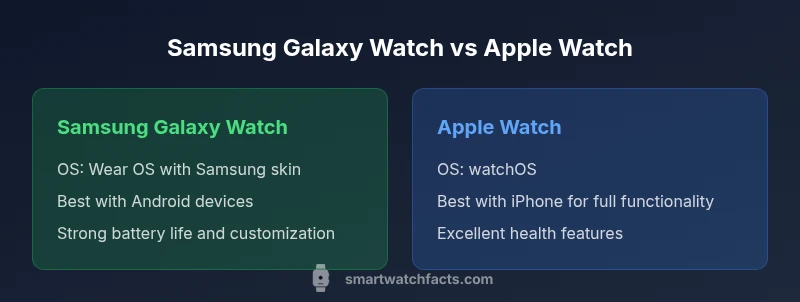
The choice between Samsung smart watch vs Apple Watch starts with software and ecosystem alignment. Samsung Galaxy Watch models run on Wear OS with Samsung enhancements, while the Apple Watch runs on watchOS. This core difference shapes everything from app availability to how notifications are delivered and how health data is displayed. According to Smartwatch Facts, platform compatibility is the single most consequential factor for many buyers, because it governs how you interact with apps, devices, and even everyday tasks like unlocking your phone or starting workouts. If you own an iPhone, Apple Watch will feel like a natural extension of the device, offering smooth pairing, quick unlocks, and a tightly integrated app experience. Conversely, Android users generally benefit from Galaxy Watch’s customization options, broader third‑party app support, and easier cross‑device control. In short: your current phone ecosystem largely determines how much you gain from each watch.
Hardware Design, Display, and Durability
Both Samsung Galaxy Watch models and Apple Watch variants emphasize premium materials, durable cases, and highly legible displays, but they approach form factor differently. Samsung often favours round screens that resemble traditional watches, with a wider choice of sizes and interchangeable bands, while Apple leans toward a square/rectangular face with curved corners that emphasizes a compact, wrist-friendly silhouette. In practice, this affects how quick you can glance at metrics during workouts, how comfortable the watch sits on smaller wrists, and how rugged the bezel and glass feel after daily wear. Always-on display clarity, glare resistance, and material choices like sapphire crystal vs. strengthened glass are practical considerations for active users. Water resistance and dust protection rates are comparable at typical consumer levels, making both watches reliable partners for daily life and workouts.
Health and Fitness Tracking Capabilities
Health tracking is a central battleground in the Samsung vs Apple smartwatch debate. Apple Watch has long been praised for its health ecosystem, with ECG, heart-rate monitoring, sleep tracking, and rich wellness features that tie into an expanding suite of fitness services. Samsung Galaxy Watch offerings cover ECG and heart-rate sensing as well, with additional sensors and fitness analytics that integrate with Samsung Health and partner apps. The real-world value rests in how metrics are collected, summarized, and presented during workouts or daily activity. The two platforms also differ in how they present health data on iPhones or Android devices — Apple tends to keep data in a unified, Apple-centric stream, while Samsung provides broader cross-platform compatibility with third‑party services. In practice, if health tracking is your top priority, both watches deliver, but your preference for data presentation and app ecosystem will influence which feels more intuitive to you.
Battery Life, Charging, and Daily Use
Battery life remains a practical cause for decision-making. In real-world use, Samsung Galaxy Watch models often deliver longer between charges for many users, especially on Android, thanks to power-efficient chips and flexible display settings. Apple Watch devices typically target a 1‑day cycle under standard usage, with optimization and newer hardware occasionally stretching that period for lighter users. Charging speed is another practical factor: some Galaxy Watch models offer faster charging when paired with compatible chargers, while Apple’s fast-charging and magnetic puck solutions emphasize a quick top‑up that helps when you’re short on time. If you regularly track workouts, use GPS, or stream music on the go, these daily-use dynamics—screen brightness, always-on display, and app activity—can meaningfully impact how often you need to recharge.
App Ecosystems and Smart Features
The app ecosystems for Samsung and Apple watches can strongly influence your experience beyond core health metrics. Apple Watch relies on watchOS and the App Store, delivering a curated, high-quality app experience with seamless integration into iPhone services like iMessage, Siri, and Apple Fitness+. Samsung watches lean on Wear OS (with Samsung’s enhancements) and the Galaxy Store, offering broader cross‑platform app availability and flexible customization options. Practically, this means iPhone users often enjoy tighter notifications, smoother handoffs, and more polished watch faces on Apple Watch. Android users, meanwhile, gain flexibility with third‑party apps, widgets, and quicker access to phone controls via Galaxy devices. The end result is about ecosystem alignment as much as app depth; the best choice depends on which app experiences you rely on daily.
Compatibility and Convenience by Platform
Compatibility is the decisive factor for many buyers. Apple Watch pairs best with iPhone ownership, delivering full functionality, deep notification support, and a unified health and fitness experience. Samsung Galaxy Watch devices offer strong performance with Android phones and decent functionality with iPhone as well, though some features may be limited when not paired with a Samsung or Android device. If you are an iPhone user who values quick unlocking, streaming workouts, and an integrated health suite, the Apple Watch is usually the more straightforward option. If you own an Android phone and want to maximize customization, battery life, and cross-device capabilities, a Galaxy Watch is typically the more comfortable fit. For mixed-device households, be prepared for some feature gaps depending on which watch you choose.
Price, Value, and Buying Scenarios
Price and value are variable by market, model, and promotions, but general patterns emerge. Samsung’s Galaxy Watch lineup often provides more price diversity across entry-level to premium tiers, delivering competitive options for Android-first buyers. Apple Watch models tend to sit at a premium tier at baseline, with strong resale value and consistently strong health features driving long-term perceived value. When evaluating price, consider not just the sticker but the total cost of ownership: battery replacement cycles, charging accessories, and app subscriptions can swing the long-term cost. If budget is a priority, compare specific model configurations, bands, and service bundles to identify the best value within your budget and region.
Practical Advice for Shoppers
To navigate “Samsung smart watch vs Apple Watch” decisions, build a simple checklist: identify your primary phone ecosystem, list the must-have health features, estimate daily battery needs, and weigh app requirements. If you own an iPhone, Apple Watch typically delivers the best overall experience and least friction. If your day-to-day life involves Android devices or you crave customization and flexible app access, a Galaxy Watch is likely to offer more practical benefits. Reading user reviews and trying demo units, where available, can provide hands-on insight into watchface customization, navigation, and comfort across wrist sizes. Finally, consider future-proofing: which ecosystem would you prefer to stay with in the coming years? Smartwatch Facts’ guidance emphasizes aligning your wearable with your primary phone usage to maximize satisfaction and minimize frustration.
What Smartwatch Facts Recommends Based on Your Setup
For readers evaluating platform-driven choices, the Smartwatch Facts Team suggests leaning toward the Apple Watch if you are committed to iPhone and value a polished health suite with seamless integration. If Android is your daily driver and you want broad customization with flexible app access, the Galaxy Watch is typically the stronger option. The ultimate decision should factor in how you use apps, how important notifications feel on your wrist, and how much you value battery life during day-to-day activities. By aligning with your primary device ecosystem, you’ll experience fewer compromises and a more satisfying smartwatch journey.
Comparison
| Feature | Samsung Galaxy Watch (Wear OS) | Apple Watch (watchOS) |
|---|---|---|
| OS / Ecosystem | Wear OS with Samsung enhancements | watchOS with deep Apple integration |
| Phone Compatibility | Best with Android; limited on iPhone | Best with iPhone; limited on Android |
| Health Sensors | ECG, HR, SpO2, sleep tracking | ECG, HR, SpO2, sleep tracking + advanced health apps |
| App Ecosystem | Galaxy Store + broad third-party apps | App Store + strong iOS app integration |
| Display & Design | Round/square options, customizable bezels | Rectangular, premium build, large display |
| Battery Life | Typically longer daily use on Android setups | Optimized for iPhone use with daily charge cycle |
| Price Range | Broad range across models and markets | Premium baseline with fewer entry-level options |
| Best For | Android users who want customization and independence | iPhone users who want seamless integration and health features |
Strengths
- Better battery life in many Galaxy Watch scenarios for Android users
- Flexible app ecosystem and customization with Galaxy Watch
- Strong health features and developer support on both platforms
- Wide model variety and regional price options
Weaknesses
- Apple Watch is the most seamless option for iPhone users
- Samsung Galaxy Watch offers reduced functionality on iPhone
Apple Watch wins for iPhone users; Galaxy Watch wins for Android-dominated setups
Choose Apple Watch if you want the strongest iPhone integration and health suite. Choose Galaxy Watch if you prioritize Android compatibility and customization.
People Also Ask
Can I use an Apple Watch with an Android phone?
Apple Watch works best with iPhone; many features are limited on Android devices. You can pair it, but notifications and apps may not function as fully as with an iPhone. For the best experience, use an iPhone.
Apple Watch works best with iPhone; on Android, you may still pair it, but expect limited features.
Can Samsung Galaxy Watch be used with an iPhone?
You can pair a Samsung Galaxy Watch with an iPhone, but some features like deep Health integration and notifications may be restricted. For full functionality, pairing with an Android device is recommended.
You can pair it with iPhone, but expect some features to be limited.
Which has better health tracking, Apple Watch or Samsung Galaxy Watch?
Both deliver strong health tracking. Apple Watch excels in holistic health features and ecosystem integrations, while Samsung provides robust sensors and Galaxy Health options. Your choice may depend on which health apps you prefer.
Both watches are strong for health tracking; pick based on your preferred health apps.
Is the Apple Watch more expensive than the Samsung Galaxy Watch?
Prices vary by model and region. Apple Watch models generally sit at a premium baseline, while Samsung offers a broader price range across Galaxy Watch models. Consider total cost, including accessories and subscriptions.
Apple Watch often starts at a higher baseline, but pricing varies by model and region.
Which watch is better for battery life?
Battery life depends on usage, but many users find Galaxy Watch models deliver longer everyday battery life on Android, while Apple Watch optimizes around iPhone interactions with a shorter cycle for heavy users.
Galaxy Watch often lasts longer in Android use; Apple Watch is optimized for iPhone usage.
Key Points
- Match your watch to your phone ecosystem
- Evaluate health features based on how you use them daily
- Consider battery life and charging habits for your routine
- Account for app availability and cross-device usability
- Prices vary by model and region; compare total cost