Why Does My Smart Watch Burn My Wrist? A Troubleshooting Guide
Urgent, practical troubleshooting guide to identify why does my smart watch burn my wrist, with quick checks, fixes, and prevention tips for safe wear.


If you’re asking why does my smart watch burn my wrist, the cause is usually a mix of fit, materials, and charging habits. Start by removing the watch and cooling the area, loosen the band, and avoid wearing while charging. Update firmware, switch to a breathable strap, and monitor skin for redness. If symptoms persist, seek medical advice promptly.
Understanding wrist burning with smartwatches
Why does my smart watch burn my wrist? The short answer is that skin irritation, heat buildup, and pressure from wear are the most common culprits. This guide uses a practical, urgent approach to help you diagnose and fix the issue quickly. You may notice redness, warmth, itching, or a painful sensation where the watch sits. In some cases, the problem is benign and will resolve after simple changes; in others, it signals a material allergy or a heating issue that needs attention. Start with immediate safety: remove the device if you feel sharp pain, persistent heat, or blistering. Then, reassess fit, materials, and charging setup before re-wearing. This is especially important for users who have sensitive skin, nickel allergies, or new bands and screen protectors. Smartwatch Facts emphasizes a cautious, methodical approach—identify the likely cause, try the least invasive fixes first, and escalate if symptoms worsen or fail to improve.
Common causes behind wrist burning
There are several reasons you might experience wrist burning with a smartwatch. First, contact dermatitis can occur from strap materials, dyes, or coatings, especially if the band is metal-backed or contains allergens. Second, heat buildup from charging or processor activity can make the skin feel warm or burn after extended wear. Third, friction or pressure from a tight strap or rough edges can irritate the skin. Sweat and humidity can amplify irritation, especially when combined with tight bands and occlusive backplates. Finally, recent changes—like a new charger, screen protector, or skin products—may interact with the device. Understanding these factors helps you design safer wear routines and protect your skin over time.
How to assess fit, materials, and charging setup
A careful assessment can reveal why your smartwatch is causing a wrist burn. Check strap material for irritants and ensure edges aren’t rubbing the skin. If you have sensitive skin, consider hypoallergenic bands or fabrics with a smooth finish. Ensure the band isn’t too tight—your skin should breathe and movement should be unhindered. Inspect the back of the watch for rough spots that might dig into the skin during activity. When charging, avoid wearing the watch on the wrist; use a comfortable position away from direct contact with the skin and ensure the charging surface doesn’t heat excessively. Firmware and display settings also influence heat; heavy use with brightness high and always-on displays can raise device temperature.
Step-by-step fixes you can try at home
Try these fixes in order of simplicity and impact. Start with the easiest changes and progress if symptoms persist. Loosen the strap to reduce friction and pressure, then clean the skin and the device contact points to remove sweat and oils. If redness is present, apply a clean, dry barrier or patch test a hypoallergenic strap before wearing again. Move the charger away from direct skin contact or avoid charging while wearing; if wireless, ensure the device isn’t actively heating the skin. Update the device firmware and disable battery-intensive features like always-on display to reduce heat generation. If problems continue after these steps, use a different band material and consider professional skin testing.
Safety reminders and when to seek professional help
Safety first: persistent burning, redness that worsens, blistering, or swelling requires medical evaluation. If you suspect a skin allergy, stop wearing the watch and consult a dermatologist for patch testing and guidance on allergen-free bands. If you notice swelling, unusual warmth beyond the skin surface, or the device itself is excessively hot, discontinue use and seek professional help immediately. Do not attempt to impede healing by applying home remedies that may irritate the skin further. In cases of battery or charging faults, contact the manufacturer or a certified technician for inspection and possible replacement.
Prevention and long-term care
Prevention is better than cure when it comes to smartwatch wrist comfort. Choose bands made from breathable, skin-friendly materials and ensure a smooth inner surface. Rotate bands to reduce continual skin contact with a single material. Keep the wrist area clean and dry, especially after workouts, and avoid applying lotions or fragrances under the band. Regularly update firmware to keep heat management efficient, and adjust display settings to lower power consumption. If you share the device or band with others, sanitize touchpoints and inspect for wear and tear on the strap.
Quick reference troubleshooting checklist
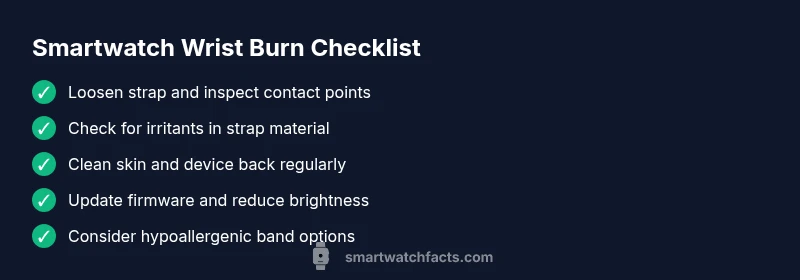
- Remove the watch if burning persists and cool the area
- Loosen strap, check for friction, and inspect backing
- Check for allergen exposure from strap or coatings
- Clean back of device and strap regularly
- Update firmware and reduce intensive features
- Consider hypoallergenic straps and new band materials
Final notes and expectations
Most cases of wrist burning resolve after routine adjustments. If you notice recurring symptoms, work with a healthcare professional to rule out dermatitis, infection, or a device-related heat issue. Smartwatch hardware evolves, so keep an eye on official guidance from the manufacturer and trusted tech outlets. By following a structured diagnostic approach, you can wear your device safely again without sacrificing comfort.
Steps
Estimated time: 30-45 minutes
- 1
Stop wearing the watch and cool the skin
Remove the device immediately and gently cool the area with a clean, cool cloth. Do not apply ice directly to the skin. Check for redness or blistering before re-wearing.
Tip: Record how long you wore it and any settings that were enabled. - 2
Inspect strap and device surfaces
Look for rough edges, dirt buildup, or signs of wear on the strap and the back of the watch that could irritate skin. Replace or adjust the band if needed.
Tip: Try a breathable, hypoallergenic strap if available. - 3
Clean skin and device contact points
Wash the area with mild soap and water; dry thoroughly. Wipe the watch back and strap connectors to remove sweat, oils, and residues.
Tip: Rubbing alcohol can be used sparingly on non-sensitive metals. - 4
Adjust fit and positioning
Reseat the watch with a looser fit to allow airflow. Ensure the back plate isn’t pressing into the skin and that the sensor area isn’t rubbing repeatedly.
Tip: Avoid wearing while sleeping if you’re prone to irritation. - 5
Update software and adjust power use
Install the latest firmware, disable always-on display, and reduce brightness to lower heat output during daily use.
Tip: Restart after updates to ensure settings take effect. - 6
Monitor and decide if alternative bands are needed
If symptoms persist after changes, consider trying a different band material or testing with a different charger to identify the source of heat or irritation.
Tip: Keep a short symptom log to share with a clinician if needed.
Diagnosis: Wrist burning sensation after wearing the smartwatch
Possible Causes
- highSkin irritation or allergy to strap/back materials
- mediumHeat buildup from charging or processor during use
- lowFriction or pressure from a tight strap
Fixes
- easyLoosen strap and inspect contact points for irritation
- easyMove charging away from skin or avoid wearing during charging
- easyClean strap and back, and consider hypoallergenic or breathable materials
- easyUpdate firmware and reduce heat by lowering brightness or disabling always-on
- easyIf redness or pain persists, stop wearing and seek medical advice
People Also Ask
Is wrist burning from a smartwatch dangerous?
Wrist burning can indicate irritation, heat buildup, or battery issues. Monitor symptoms and seek medical advice if redness, pain, or blistering occurs.
Wrist burning can signal irritation or heat. If it worsens, seek medical help and check straps, charging, and settings.
Should I wear the watch while charging?
Avoid wearing the watch while charging if it becomes warm. Heat exposure can irritate the skin and affect comfort and safety.
Do not wear it while charging if it gets warm; let it charge away from your skin.
How can I prevent wrist burns from a smartwatch?
Choose breathable bands, keep skin clean and dry, adjust fit, and update software to reduce heat generation. Consider hypoallergenic straps if you have sensitive skin.
Use breathable bands, keep skin dry, and update software to reduce heat.
What if the burn occurs after a software update?
Check for known issues with the update, apply available patches, and adjust settings to reduce heat. If problems persist, contact support for a diagnostics check.
If a burn starts after an update, check for patches and adjust settings; contact support if it continues.
When should I see a clinician about wrist burning?
If redness or swelling continues after fixes, or if you notice blistering, fever, or severe pain, seek medical advice promptly.
See a clinician if symptoms persist or worsen beyond home fixes.
Watch Video
Key Points
- Identify likely causes based on wear patterns.
- Loosen strap and adjust charging habits to reduce heat.
- Update firmware and disable intensive features to lower heat.
- Seek professional care if symptoms persist AFTER home fixes.