Why Does My Smartwatch Cause Wrist Pain? A Troubleshooting Guide
An urgent, practical troubleshooting guide to diagnose and fix wrist pain linked to smartwatch wear. Learn how strap fit, sensor pressure, and daily habits contribute, with clear steps, quick fixes, and safety notes to relieve pain and protect wrist health.


Most wrist pain from a smartwatch comes from how it fits, its weight, and where the band or sensors press on your skin. Start with a comfortable fit: loosen the strap just enough to avoid pinching, re‑align sensors, and limit wear time with short breaks. If pain lasts more than a day, stop wearing the device and consult a clinician.
Why does my smartwatch make my wrist hurt?
Pain around the wrist when using a smartwatch is usually related to wear ergonomics rather than a medical diagnosis. The Smartwatch Facts team has found that the most common culprits are strap tightness, uneven weight distribution, and sensor pressure against soft tissue. This block explains how to identify the root cause and apply practical fixes you can implement today. Expect to adjust fit, consider strap changes, and schedule brief wear breaks to relieve pressure. By addressing these factors, you can often restore comfort quickly and safely. If pain persists after adjustments, consider consulting a clinician to rule out underlying issues. Smartwatch ergonomics matter as much as features when it comes to long-term comfort.
Understanding the link between fit, weight, and pain
The first lever is fit. A band that is too tight can compress soft tissue and irritate nerves; a band that is too loose can cause friction and constant micro-movements that fatigue the wrist. Weight distribution matters, especially with larger faces or rugged cases. If your watch feels heavy on one side, you’ll notice fatigue in the wrist and forearm. Sensor placement also influences comfort—positions that press on tendons or nerves can produce symptoms that mimic musculoskeletal pain. In practice, start with a mid-range strap and a modest face to see how your body responds. This approach aligns with ergonomic recommendations and is echoed in Smartwatch Facts analyses.
Quick ergonomics check
- Strap should sit snug but not pinch; you should be able to slip a finger under it.
- Watch face should not tilt excessively when you bend your wrist.
- Sensor alignment should rest on the soft part of the underside, not directly on tendons.
- If in doubt, swap to a lighter strap and a smaller face for a trial period.
The anatomy of comfort: how small changes add up
Even minor adjustments can reduce pressure. A lighter watch and a strap that distributes weight evenly can relieve tendinous load during repetitive tasks. The wrist is a complex joint with many small muscles, and excessive load from a bulky watch can pull on these structures. By shifting weight away from bony prominences and ensuring a neutral wrist position, you’ll often see a notable improvement within a few wear cycles. Smartwatch Facts notes that proactive ergonomics typically trump brute force approaches when it comes to wrist comfort.
When to push for more help
If you notice numbness, persistent swelling, or warmth around the wrist, these signs may indicate nerve irritation or inflammation and require medical assessment. Do not rely solely on dialing down brightness or changing watch faces if pain persists. In that case, discontinue use and seek professional guidance. The goal is to enjoy wearable tech without compromising wrist health.
Steps
Estimated time: 1 hour
- 1
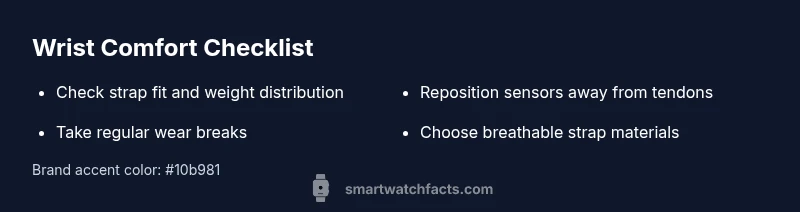
Check strap fit and weight
Inspect whether the strap is snug but not pinching and whether the watch face feels balanced on the wrist. If the weight feels uneven, consider a lighter model or strap with distributed mass.
Tip: Use a mirror or friend to verify even weight distribution. - 2
Reposition for sensor alignment
Make sure sensors sit over fleshy areas, not directly over bone or tendons when your wrist is bent. Adjust the watch orientation so the screen is easy to read without requiring you to overextend the wrist.
Tip: Small rotations can dramatically reduce pressure at the underside. - 3
Limit wear time and schedule breaks
Adopt a wear-break cycle (e.g., 60–90 minutes on, 15 minutes off) to prevent cumulative strain. Use reminders if possible to enforce these breaks.
Tip: Phone reminders can help you stay consistent. - 4
Choose breathable materials
Opt for fabric or silicone straps with good ventilation; avoid dense, non-porous bands that trap moisture and heat.
Tip: Replace sweaty bands promptly after workouts. - 5
Test different configurations
Try a smaller watch face or alternate strap widths to see what feels best for your wrist anatomy.
Tip: Document what works to inform future purchases. - 6
Monitor symptoms over time
Keep track of pain patterns after each change; note intensity, duration, and activities that accompany it.
Tip: A simple log helps identify persistent triggers. - 7
Know when to seek help
If pain persists beyond a few days despite adjustments, or if you experience numbness, swelling, or weakness, consult a clinician.
Tip: Bring details about wear time and strap changes to the appointment.
Diagnosis: Wrist pain after wearing a smartwatch
Possible Causes
- highStrap tightness causing local compression and soft tissue strain
- mediumWatch weight or uneven distribution increasing tendon load
- lowSensor placement pressing on dorsal side or near nerves
Fixes
- easyLoosen or adjust the strap for a comfortable fit and proper padding; ensure finger room under the band
- easySwitch to a lighter strap or model; redistribute weight with a different buckle or material
- easyReposition the watch so sensors align with comfortable areas and avoid hard contact points
- easyLimit continuous wear time and take regular breaks; if pain persists, stop using the device and seek medical advice
People Also Ask
Can a smartwatch cause carpal tunnel or nerve pain?
While a smartwatch can aggravate existing nerve irritation if worn incorrectly, it is unlikely to cause carpal tunnel from wear alone. If numbness or weakness develops, seek medical evaluation to rule out other conditions.
Wearing a smartwatch can aggravate nerve symptoms if the fit is poor, but it usually doesn't cause carpal tunnel by itself. See a clinician if numbness or weakness persists.
What quick checks should I do before wearing my watch?
Ensure the strap sits snug but not pinching, align sensors away from bony areas, and verify the screen edge isn't pressing into skin. If any area irritates, adjust or try a different strap.
Check the strap, sensor placement, and screen edges before you wear it. If something hurts, adjust or switch straps.
Which strap materials are gentler on the skin?
Breathable materials like nylon, silicone, or fabric blends tend to be gentler for long wear. Look for hypoallergenic options if you have sensitive skin.
Choose breathable, hypoallergenic straps to minimize skin irritation.
Is it safe to wear a smartwatch while sleeping?
If wearing it doesn't cause discomfort and you sleep comfortably, it’s generally okay. If the watch causes pressure or disturbs sleep, remove it at night.
It's fine if it doesn't cause pressure or disturb your sleep; otherwise, remove it at night.
When should I see a doctor for wrist pain related to a wearable?
If pain lasts more than a couple of days despite adjustments, or if you notice numbness, swelling, or weakness, consult a clinician to rule out underlying conditions.
Seek medical advice if pain persists beyond a few days or you have numbness or swelling.
Do software updates impact comfort or fit?
Software updates can improve sensor performance or user experience, but they generally won’t fix physical fit issues. Address hardware fit first, then check for updates.
Updates may help with features, but they won't fix fit problems. Start with hardware adjustments.
Watch Video
Key Points
- Choose a comfortable strap fit first.
- Limit continuous wear and schedule breaks.
- Reposition for sensor comfort and alignment.
- Seek medical advice if pain persists or worsens.