Smart Watch Android and iPhone: A Practical 2026 Comparison
A thorough, analyst-driven comparison of Wear OS vs Apple Watch for Android and iPhone users, covering compatibility, apps, health tracking, battery, pricing, setup, and buy-in—so you pick the best smartwatch for your phone.


For Android users, Wear OS watches usually offer broader compatibility and value. iPhone users typically get the strongest experience with Apple Watch, though some cross-platform features exist. In short, choose based on your phone ecosystem and desired features; this comparison clarifies what you gain or lose.
Why Compatibility Matters
In the evolving world of wearable technology, compatibility between a smartphone and a smartwatch is the single most influential factor in daily usability. The phrase smart watch android and iphone frames the core decision: you usually align your watch with your phone's ecosystem to unlock the best notifications, apps, and health data. In this guide, we compare Wear OS watches designed for Android with Apple Watch models optimized for iPhone, focusing on real-world use cases, ease of setup, and long-term value. Throughout this article, Smartwatch Facts analysis emphasizes practical outcomes over marketing claims. By grounding choices in how you actually use your devices, you avoid one-size-fits-all recommendations and tailor your purchase to your routines.
How Wear OS and Apple Watch Ecosystems Differ
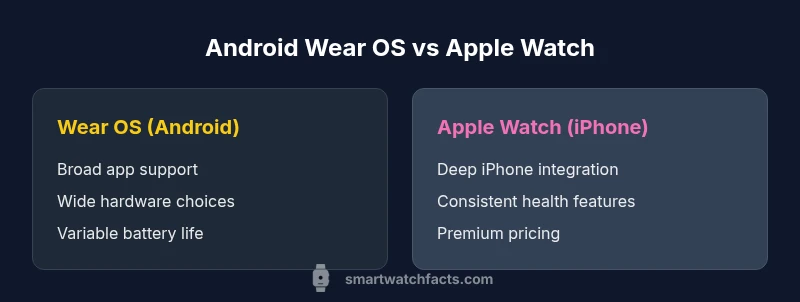
Wear OS watches originate from Google and its partners, delivering broad hardware options and a flexible app environment. Apple Watch is tightly woven with iPhone, delivering deep integration, a polished app ecosystem, and consistent health-tracking experiences. When you evaluate the pairing for smart watch android and iphone, the key distinction is where the ecosystem gains its strength: Android users typically enjoy wider app support and hardware variety, while iPhone users experience more seamless notifications, quicker pairing, and more accurate health data on the Apple Watch. This section compares app stores, voice assistants, updates, and cross-app workflows so you can predict day-to-day usability rather than rely on hype.
User Scenarios: Android-first vs iPhone-first
Consider your daily workflows: an Android-first user may rely on Google Maps, Assistant, and multi-app multitasking on a Wear OS watch for quick replies and hotel checkout, while an iPhone user may value the Apple Watch for instant messages, Wallet passes, and activity syncing with HealthKit. For the often overlooked smart watch android and iphone angle, think about how you use music, payments, and smart-home controls. In real life, your choice should reflect which platform you already use as your daily driver. The Smartwatch Facts team notes that choosing the right watch for your phone increases reliability, reduces friction, and minimizes feature gaps over time.
Platform Limitations You Should Understand
No smartwatch ecosystem is perfectly symmetric across platforms. Some Wear OS features may work best on Android, with limited iPhone support, while Apple Watch delivers maximum functionality on iPhone but can restrict features when paired with non-Apple devices. For someone evaluating smart watch android and iphone combos, it’s critical to map which features matter most: notifications, health metrics, or app access. Expect occasional parity gaps, particularly with third-party apps and quick-glance interactions. Understanding these gaps helps you avoid surprises after purchase.
Health and Fitness Tracking: What to Expect
Health and fitness tracking forms a core reason many people wear a smartwatch. Apple Watch often leads on metrics accuracy and health ecosystem integration, thanks to a focused hardware-software approach. Wear OS devices improve steadily, with diverse sensors across models and manufacturers. When evaluating smart watch android and iphone, consider the health priorities you track: heart rate, sleep, activity rings, or guided workouts. The Smartwatch Facts team emphasizes that while both platforms deliver solid health data, Apple Watch tends to yield a more consistent experience on iPhone, whereas Wear OS offers broader hardware choices.
App Availability and App Store Experience
The app landscape is a practical battleground. Apple Watch benefits from a tightly curated App Store with strong health, fitness, and notification apps, especially on iPhone. Wear OS presents a wider range of hardware partners and apps, but quality can vary across devices and vendors. For a buyer weighing smart watch android and iphone, app availability and quality often depend on the watch model and phone brand. Expect progress in app parity over time, but this is a key area where platform choice matters.
Cross-Platform Interoperability Tips
If you need some level of cross-compatibility, start with core features like fitness tracking, notifications, and music control, and verify which functions work best when paired with your phone. Use cloud-based health data syncing where possible to reduce device lock-in, and choose apps that have strong cross-platform support. For smart watch android and iphone users, consider limiting platform-specific features to avoid feature drop-offs when you switch phones or reset devices.
Battery Life and Charging Habits
Battery longevity varies by model, usage, and features enabled. Apple Watch models generally optimize for a smooth day-to-day experience with iPhone, while Wear OS devices vary more widely in battery performance depending on hardware and software tuning. When evaluating smart watch android and iphone, you should plan for different charging frequencies and consider energy-hungry features like GPS, continuous heart-rate monitoring, and always-on displays. Smartwatch reliability over a workweek often hinges on choosing a device whose battery life aligns with your daily rhythm.
Price and Value: What to Expect
Price bands for smartwatches range from affordable options to premium models, with Apple Watch typically positioned at the higher end of the spectrum. Wear OS devices offer broader pricing, with various manufacturers presenting good-value options alongside flagship models. For smart watch android and iphone buyers, balance upfront cost against long-term value, including battery longevity, software updates, and ecosystem ownership. Remember that longevity and software support influence total cost as much as sticker price.
Setup and Daily Use: Quick Start Guide
Setting up a smartwatch that pairs with your phone should be intuitive, but the nuance is in the details.
- Start with a clean pairing environment and ensure both devices are updated.
- Install essential apps on your watch that mirror your mobile routines (calendar, maps, messaging, health).
- Customize notifications and gestures to minimize distraction.
- Use offline playlists or health data syncing for travel scenarios. For readers exploring smart watch android and iphone setups, this practical routine helps you reach a reliable workflow quickly, with a focus on essential features and predictable performance.
Privacy and Security Considerations
Smartwatches collect health and personal data, making privacy and security important. Apple Watch emphasizes strong integration with iPhone security, while Wear OS devices depend on broader Google security frameworks and vendor-specific controls. When evaluating smart watch android and iphone, review app permissions, data sharing, and how frequently devices receive security updates. Regularly review trusted apps and enable biometric unlock where appropriate to reduce the risk of unauthorized access.
What We Recommend Based on Your Smartphone
If your daily life centers around Android, a Wear OS watch typically delivers the strongest overall value and broad compatibility for apps, maps, and smart-home controls. If you live in the Apple ecosystem, the Apple Watch offers the most polished experience, deepest integrations, and the most consistent health-tracking outcomes when paired with iPhone. The Smartwatch Facts team recommends you prioritize ecosystem alignment to maximize long-term usability, support, and user satisfaction.
Comparison
| Feature | Wear OS watches (Android phones) | Apple Watch (iPhone) |
|---|---|---|
| Compatibility depth | Broad Android support and Google app integration | Deep iPhone integration with Apple services |
| App ecosystem | Wide variety, varying quality by model | Curated Apple Watch apps with strong health focus |
| Health and fitness tracking | Strong across devices with diverse sensors | Best-in-class health suite and accuracy on iPhone |
| Notifications and calls | Platform-dependent behavior; some features vary by device | Highly reliable on iPhone with Apple Watch |
| Price range | Broad: budget to premium options | Typically premium, tied to Apple branding |
Strengths
- Broad hardware options and competitive pricing across Wear OS watches
- Strong health tracking and notifications on Apple Watch when paired with iPhone
- Good cross-platform support for core smartwatch duties with either ecosystem
Weaknesses
- Cross-platform feature parity can be inconsistent
- Apple Watch requires iPhone for the fullest experience
- Wear OS app quality can vary by manufacturer and model
Wear OS watches fit Android users; Apple Watch fits iPhone users
If your phone is Android, choose a Wear OS watch for best compatibility and value. If you own an iPhone, the Apple Watch delivers the most seamless experience and strongest app support. The Smartwatch Facts team asserts that ecosystem alignment is the decisive factor for satisfaction.
People Also Ask
Can I use an Apple Watch with Android devices at all?
Apple Watch is designed to work best with iPhone. Some basic features may function with Android via limited apps, but full functionality requires an iPhone. Expect limited notifications, app access, and health data syncing when pairing with Android.
Apple Watch works best with iPhone; you’ll get limited functionality with Android.
Are Wear OS watches fully compatible with iPhone?
Wear OS watches can pair with iPhone, but the experience is not as seamless as with Android or as comprehensive as on iPhone with an Apple Watch. Expect partial notifications and limited health app integration.
Wear OS can pair with iPhone, but some features are limited.
Which is easier to set up, Wear OS or Apple Watch?
Both are straightforward, but Apple Watch tends to deliver a smoother start when paired with iPhone due to tighter integration. Android users may benefit from Wear OS’s flexible setup with Android phones.
Apple Watch often starts quicker with iPhone; Wear OS shines with Android.
What should I consider besides ecosystem when buying a smartwatch?
Look at battery life expectations, fitness sensors, display quality, and watch size. Consider your budget, comfort, and preferred apps. These factors influence how useful the watch remains over time.
Battery life, sensors, display quality, and comfort matter most after ecosystem.
Do all smartwatches support offline music playback?
Offline music support varies by model and app. Apple Watch offers robust music options when paired with iPhone. Wear OS watches also support music apps, but availability depends on the watch and phone pairing.
Music support depends on the watch; Apple Watch with iPhone is strongest here.
What is the best choice if I switch phones later?
If you foresee switching between Android and iPhone, a Wear OS watch may offer easier cross-platform support, but you may lose some native features on Apple Watch when not using an iPhone. Plan for ecosystem continuity.
If you might switch phones, Wear OS options can be more flexible.
Key Points
- Match your watch to your phone ecosystem to maximize features
- Apple Watch excels with iPhone for health and notifications
- Wear OS offers broader hardware options and value across Android
- Expect some cross-platform limitations regardless of choice
- Plan for ecosystem-specific apps and services when buying