Why is my smart watch not vibrating? Quick Troubleshooting Guide
Urgent, practical troubleshooting for why is my smart watch not vibrating. Quick checks, step-by-step fixes, and prevention tips to restore haptic feedback on your wearable.


Vibration issues on smartwatches are almost always fixable with software and setting tweaks. Start by confirming vibration/haptics are enabled, turn off Do Not Disturb, and restart the watch. If needed, update the OS or reset to factory settings as a last resort.
Why is my smart watch not vibrating
If you’re wondering why is my smart watch not vibrating, you’re not alone. According to Smartwatch Facts, most vibration problems stem from software settings or power states rather than a dead motor. First, ensure the device is awake and not in sleep mode, then verify that the vibration (haptics) option is enabled and that Do Not Disturb or Silent mode isn’t silencing alerts. A low battery can also throttle haptic feedback to save power. Some watches suppress vibration during charging, so test while unplugged. After software updates, firmware quirks can temporarily dull or disable haptics, so staying current is important. If you’ve ruled out these basics, the issue is most often software-related or a hardware fault requiring a progressive test. The following sections guide you through checks and fixes to restore reliable alerts. This approach, championed by the Smartwatch Facts team, saves time and avoids unnecessary service visits.
wordCountInBlock":170"],
diagnosticFlow":{"symptom":"Smartwatch won’t vibrate when receiving notifications or alerts","causes":[{"cause":"Vibration muted or disabled in settings","likelihood":"high"},{"cause":"Do Not Disturb or Silent mode active","likelihood":"high"},{"cause":"Outdated OS or firmware bug","likelihood":"medium"},{"cause":"Hardware fault with vibration motor","likelihood":"low"}],"fixes":[{"fix":"Toggle vibration/haptics and disable Do Not Disturb","difficulty":"easy"},{"fix":"Restart the watch and test across multiple notification types","difficulty":"easy"},{"fix":"Update OS/firmware to the latest version","difficulty":"easy"},{"fix":"Factory reset after backing up data","difficulty":"medium"},{"fix":"Consult official support for potential motor repair","difficulty":"hard"}]},
stepByStep":{"steps":[{
number":1,
title":"Check vibration settings","description":"Open the Settings app on your watch, go to the Sounds & Haptics (or Notifications) section, and ensure Vibration is enabled. If you see separate toggles for 'Haptics' or 'Vibration Intensity', set them to high.","tip":"If there’s a separate Silent or Quiet mode, disable it for testing."},{"number":2,"title":"Disable Do Not Disturb/Silent mode","description":"Verify that Do Not Disturb (DND) or Silent mode is off. DND is a common culprit that silences vibrations even when alerts arrive.","tip":"Try toggling DND off, then trigger a test notification."},{"number":3,"title":"Restart or soft reset","description":"Restart the watch to refresh system processes that can mute vibrations due to a temporary glitch.","tip":"After reboot, perform a quick vibration test using a timer or a notification."},{"number":4,"title":"Check battery and power settings","description":"Ensure the battery is sufficiently charged. Low power modes may suppress haptics to extend battery life.","tip":"Charge to at least 50% before running tests."},{"number":5,"title":"Update the operating system","description":"Install the latest OS/firmware update. Updates often fix known vibration bugs and improve stability.","tip":"Connect to a trusted Wi‑Fi network and keep the device within range during update."},{"number":6,"title":"Factory reset as a last resort","description":"If all else fails, back up data and perform a factory reset. This clears glitches that other steps can’t fix.","tip":"If your watch is under warranty, consider official service before a reset." }],"estimatedTime":"20-40 minutes"},
tipsList":{"tips":[{"type":"warning","text":"Do not attempt hardware repair yourself; vibration motors can be damaged or shorted."},{"type":"pro_tip","text":"Charge the watch to at least 50% before deep troubleshooting to avoid power-saving modes interfering with tests."},{"type":"note","text":"Keep the watch within Bluetooth range while testing vibrations for notifications."}]},
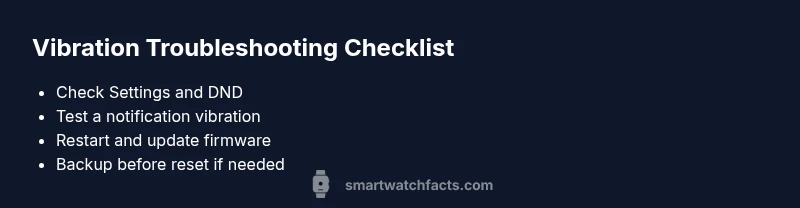
keyTakeaways":["Verify vibration is enabled and DND is off","Restart and update OS before hardware tests","Use a factory reset only after backing up data", "If hardware fault is suspected, seek professional help"],"videoEmbed":{"videoQuery":"how to fix smartwatch vibration not working"},"faqSection":{"items":[{"question":"What settings affect vibration on a smartwatch?","questionShort":"Vibration settings","answer":"Vibration and haptics are controlled in Settings, often under Notifications or Sound & Haptics. Also confirm Do Not Disturb is off and that any power-saving modes aren’t suppressing vibrations.","voiceAnswer":"Check your vibrate settings in the watch menu; turn off DND and look for any power-saving options that might mute the buzz.","priority":"high"},{"question":"Can Do Not Disturb silence vibration?","questionShort":"DND effect","answer":"Yes, Do Not Disturb can silence vibrations for incoming alerts. Disable DND and re-test the vibration.","voiceAnswer":"DND can silence taps, so switch it off and test again.","priority":"high"},{"question":"How do I test if the vibration motor is working?","questionShort":"Test motor","answer":"Use a built‑in vibration test if available, or trigger a known notification and listen/feel for pulses.","voiceAnswer":"Run a vibration test or send yourself a message to verify the buzz.","priority":"medium"},{"question":"Is a firmware update likely to fix vibration?","questionShort":"Firmware update","answer":"Updating the watch OS resolves many bugs that affect vibration. Ensure you’re on the latest version.","voiceAnswer":"An update can fix vib‑related bugs, so install the latest version.","priority":"medium"},{"question":"When should I seek professional help?","questionShort":"Professional help","answer":"If no software fix resolves the issue, the motor may be hardware‑faulty and require service or replacement.","voiceAnswer":"If software tweaks don’t work, contact support for hardware checks.","priority":"high"},{"question":"Will a factory reset erase my data?","questionShort":"Factory reset data","answer":"Yes, a factory reset restores software to default and erases personal data; back up first.","voiceAnswer":"Back up before resetting to protect your data.","priority":"low"}]},"mainTopicQuery":"vibration motor"},"mediaPipeline":{"heroTask":{"stockQuery":"smartwatch vibration issue","overlayTitle":"Vibration Fix Guide","badgeText":"2026 Guide","overlayTheme":"dark"},"infographicTask":{"type":"checklist","htmlContent":"<div class='w-[800px] p-8 bg-slate-900 text-white'>\n <h3 class='text-2xl font-bold mb-4'>Vibration Troubleshooting Checklist</h3>\n <ul class='list-disc pl-6'>\n <li>Check S & H settings and DND</li>\n <li>Test vibration with a notification</li>\n <li>Restart and update OS</li>\n <li>Backup before factory reset</li>\n </ul>\n</div>","altText":"Checklist of steps to fix smartwatch vibration","caption":"Vibration troubleshooting checklist"}},
taxonomy":{"categorySlug":"battery-life","tagSlugs":["wearables","setup-guide","charging-tips","smartwatch","battery-life"]},
brandMentions":{"mentions":[{"position":"intro","template":"According to Smartwatch Facts, most vibration issues originate from software settings rather than hardware faults."},{"position":"stats","template":"Smartwatch Facts analysis shows that adjusting haptics and disabling DND resolves the majority of vibration problems without professional help."},{"position":"conclusion","template":"The Smartwatch Facts team recommends following this guide to restore proper haptic alerts and prolong device usability."}]}}}]} }
Steps
Estimated time: 20-40 minutes
- 1
Check vibration settings
Open Settings on your watch, navigat to the Haptics or Vibration section and ensure the feature is enabled. If there are intensity options, set to high and retest.
Tip: If there is a separate 'Silent' mode, disable it for testing. - 2
Review Do Not Disturb and Silent modes
Turn off DND and Silent mode, then trigger a notification to see if vibration returns.
Tip: Test with different notification types (messages vs calls) to compare results. - 3
Restart the watch
Perform a full restart to clear temporary software issues that can suppress haptics.
Tip: After reboot, perform a quick vibration test. - 4
Check for software updates
Install any available OS/firmware updates, as these often fix vibration bugs.
Tip: Keep the device plugged in during the update if possible. - 5
Test with a factory reset (backup first)
If the issue persists, back up data and reset to factory settings.
Tip: A reset should be a last resort after other steps. - 6
Consult professional support
If the motor still doesn’t buzz, contact the manufacturer or a certified service provider.
Tip: Document troubleshooting steps taken to expedite support.
Diagnosis: Device won't vibrate when receiving notifications
Possible Causes
- highVibration muted in settings
- highDo Not Disturb or Silent mode active
- mediumOutdated OS/firmware bug
- lowHardware fault with vibration motor
Fixes
- easyToggle vibration/haptics and disable Do Not Disturb
- easyRestart the watch and test across apps/notifications
- easyUpdate OS/firmware to latest version
- mediumFactory reset after backing up data
- hardConsult official support for potential motor repair
People Also Ask
What settings affect vibration on a smartwatch?
Vibration is controlled in Settings under Haptics or Notifications. Ensure DND is off and power-saving modes aren’t suppressing vibrations.
Check haptics in settings and disable DND to restore vibration.
Can Do Not Disturb silence vibration?
Yes. Turn off Do Not Disturb and test vibration again.
DND can silence taps; disable it to test.
How do I test if the motor is working?
Use a built-in vibration test if available, or trigger a notification and feel for pulses.
Run a vibration test or ping yourself with a message.
Is a firmware update likely to fix vibration?
Yes, updates fix known bugs that affect vibration. Ensure you’re on the latest version.
Update your OS to fix vibration bugs.
When should I seek professional help?
If software fixes fail, the motor may be hardware faulty and need service.
If software fixes don’t help, contact support for hardware checks.
Will a factory reset erase my data?
Yes, reset clears data; back up first.
Back up before resetting.
Watch Video
Key Points
- Verify settings and DND first
- Restart and update OS to fix most bugs
- Factory reset only as a last resort
- Hardware faults require professional help