Fossil Smart Watch vs Apple Watch: In-Depth Comparison
A rigorous, analyst-led comparison of Fossil smart watches and Apple Watch, covering design, health features, OS ecosystems, battery life, price, and real-world use cases for Android and iPhone users.


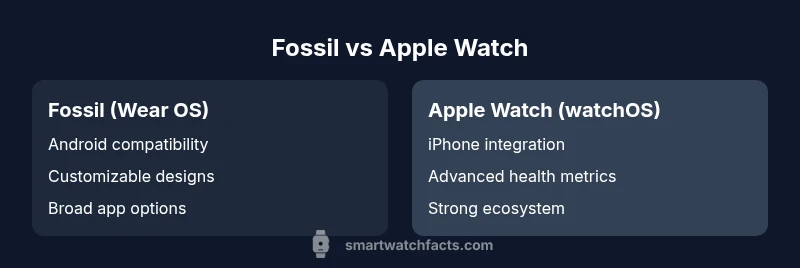
In a Fossil smart watch vs Apple Watch comparison, the Apple Watch generally leads in health features, app availability, and iPhone integration, while Fossil with Wear OS offers better Android compatibility, Google services, and typically lower price. Your choice hinges on your smartphone ecosystem and how you value apps, fitness tracking, and longevity.
Context: Ecosystems and User Needs
According to Smartwatch Facts, the fossil smart watch vs apple watch decision often hinges on ecosystem preference and everyday usage. Wear OS devices tend to pair best with Android smartphones and Google services, while the Apple Watch offers seamless integration with iPhone features and Apple services. In this fossil smart watch vs apple watch comparison, the most meaningful differences surface in app availability, health-tracking depth, notification handling, and cross-device continuity. For many shoppers, the core question becomes whether they need broad Android compatibility or a tightly integrated iPhone experience, along with comfort, battery life expectations, and price considerations. The Smartwatch Facts analysis highlights that long-term software updates and accessory ecosystems often weigh as heavily as initial hardware specs. This is not about chasing marginal gains in processing speed; it’s about how well the watch supports your daily routines, workouts, and phone habits over several years. By framing the decision around your phone, your apps, and your comfort with ecosystems, you’ll gain clarity on which watch fits your life better.
Design & Build: Aesthetics, Durability, and Fit
Apple Watch emphasizes a premium, uniform design language with a square case, refined edges, and a Digital Crown for tactile navigation. Fossil Wear OS watches, by contrast, showcase more variety in case shapes, materials, and band options, which appeals to users who want a more traditional or customizable look. Weight, bezel, and brightness vary model-to-model, but both brands prioritize readability, comfortable wear for long workouts, and quick-access controls. If you value a consistently recognizable shape and tight integration with your iPhone, the Apple Watch design delivers. If you prefer a broader style palette and interchangeable bands to suit fashion or activity, Fossil provides more options.
OS, Apps, and Ecosystems: Wear OS vs watchOS
OS choice is often the single biggest determinant of daily experience. Apple Watch runs watchOS with deeply integrated software and a strong app ecosystem designed around iPhone compatibility. Fossil watches run Wear OS, offering broad Android compatibility, Google Assistant, and access to a wider spectrum of third-party services. The app libraries reflect these ecosystems: Apple’s App Store for watchOS tends to have more polished health and productivity apps, while Wear OS benefits from Google Maps, Google Fit, and diverse integrations with Android devices. Neither platform is perfect, but your comfort with a smartphone’s ecosystem largely shapes perceived value and daily ease of use.
Health Tracking: Sensors, Metrics, and Reliability
Apple Watch is widely recognized for strong health features, including ongoing heart-rate monitoring, SpO2 tracking, and mature fitness metrics, with consistent software updates enhancing reliability. Fossil Wear OS devices provide core health tracking such as heart rate and SpO2 on most models, with some devices offering additional metrics through partner apps. The depth and consistency of health data can vary more across Wear OS devices due to hardware variations and software dependencies. For users who prioritize proven health features and Apple’s ecosystem, the Apple Watch generally sets the standard. For Android users who want credible health support within Wear OS, Fossil remains a solid choice with practical, everyday tracking.
Battery Life, Charging, and Longevity
Battery life on both Fossil Wear OS and Apple Watch depends heavily on usage, display brightness, and app activity. In typical day-to-day scenarios, both platforms aim to last through a full day with normal notifications, workouts, and GPS use. Apple Watch models are optimized for day-long performance, while Fossil watches can vary more between models due to display type (AMOLED vs LTPO), watch faces, and always-on display settings. Charging mechanisms are straightforward on both: magnetic or puck-style charging on Apple Watch, and similar options on Fossil. If you travel often or rely on extended wear without charging, consider models with efficient screens and flexible power modes.
Price, Value, and Long-Term Ownership
Pricing for Fossil Wear OS watches generally sits in the mid-range, offering more design variety and broader Android compatibility at a lower upfront cost. Apple Watch typically commands a premium, reflecting its polished software, stronger health features, and robust integration with iPhones. Over the long term, resale value and software support influence total ownership costs; Apple’s ecosystem often provides longer-lasting software support on watches, while Wear OS devices may require more frequent app and OS updates from third-party developers. For budget-conscious buyers who want design flexibility, Fossil is compelling; for iPhone owners seeking seamless daily use and premium health features, Apple Watch is often worth the premium.
Use-Case Scenarios: Where Each Shines
Android-centric households benefit from Fossil Wear OS’s broader compatibility, Google services, and the flexibility to customize both hardware and software experiences. In a mixed-device household or for users who value quick access to Google Assistant, mapping, and third-party apps, Fossil offers practical advantages. Apple Watch excels for iPhone users who want a cohesive experience, superior health-tracking features, dependable notifications, and a tightly integrated app ecosystem. If you are a health-focused user, a student who relies on iPhone, or someone invested in the Apple ecosystem, the Apple Watch is typically the stronger choice. If you own an Android phone, value a wider hardware palette, and want to stretch your budget, Fossil merits serious consideration.
Setup, Compatibility, and Getting Started
Setting up either watch is straightforward but differs in initial device pairing. Apple Watch setup is streamlined when paired with an iPhone, with guided prompts, account syncing, and a seamless transfer of health data to the Health app. Fossil Wear OS setup requires a compatible Android phone or an iPhone with limited Wear OS features; expect to install Google apps, configure Google Assistant, and sign in with a Google account. In both cases, you’ll access app stores, configure notifications, and tailor health and workout metrics. A practical tip: start with a small set of essential apps, adjust notification settings to reduce distractions, and ensure firmware updates are installed to maintain security and performance.
Decision Framework: How to Pick the Right One for You
Choosing between fossil smart watch vs apple watch should begin with your phone ecosystem: iPhone users typically gain the most value from the Apple Watch, while Android enthusiasts may appreciate Wear OS flexibility and Google integrations. Next, weigh health features and app expectations: prefer Apple’s mature health suite or a Wear OS that aligns with Google services and your favorite apps. Finally, consider design, durability, and budget: if you care about a traditional watch aesthetic or multiple strap options, Fossil shines; if you want a premium, polished experience with a strong resale proposition, Apple Watch stands out. Use this framework to map your priorities directly to practical features and real-life workflows.
Comparison
| Feature | Fossil Smart Watch (Wear OS) | Apple Watch (watchOS) |
|---|---|---|
| OS & Ecosystem | Wear OS with Google services | watchOS with strong iPhone integration |
| Health Tracking | Core metrics, varying sensors by model | Advanced health features with mature apps |
| App Availability | Wide Google Play app support, more variability | Extensive, curated App Store ecosystem |
| Battery Life & Charging | Typical day, model-dependent, flexible power modes | Day-long use with efficient charging |
| Design Options | More case shapes/materials and bands | Consistent design language and premium feel |
| Price Range | Mid-range with broader hardware options | Premium pricing with strong resale value |
| Best For | Android-first users; budget-conscious buyers | iPhone users seeking top health features |
Strengths
- Apple Watch offers seamless iPhone integration and strong health features
- Fossil Wear OS provides Android compatibility and design variety
- Longer-term ownership value can favor Apple in some markets
- Wide selection of styles and bands with Fossil appeals to fashion-minded buyers
- Wear OS devices often support Google services and assistant features
Weaknesses
- Apple Watch is most beneficial with iPhone, limiting cross-platform use
- Wear OS can feel less polished and subject to app variability
- Fossil health metrics may vary by model and sensor quality
- Apple Watch carries premium pricing in many configurations
Apple Watch generally offers stronger health features and iPhone integration; Fossil is the better value for Android users.
If you’re an iPhone user, Apple Watch is the safer, more polished choice. If you’re on Android or want Wear OS flexibility at a lower upfront cost, Fossil makes practical sense.
People Also Ask
Which is better for health tracking, Fossil or Apple Watch?
Apple Watch generally leads with mature health features and a robust health app ecosystem. Fossil Wear OS devices provide core health metrics, but the depth and consistency can vary by model and app availability.
Apple Watch typically has the stronger health features, while Fossil offers solid basics.
Is Fossil compatible with iPhone?
Fossil Wear OS watches work with iPhone, but the experience is generally more limited compared to pairing with Android or an Apple Watch. Some apps and features may be unavailable or less integrated.
Wear OS on iPhone works, but with fewer features.
Can you use Apple Watch without an iPhone?
Initial setup and full functionality require an iPhone. Some features may work standalone, but the overall experience relies on iPhone pairing and iCloud-based services.
No; an iPhone is needed for setup and best use.
Which has better app availability?
Apple Watch generally has a larger, more mature app ecosystem, especially for health and productivity apps. Wear OS has a growing library but is typically smaller and more fragmented across devices.
Apple has more apps; Wear OS is improving but less consistent.
Which watch lasts longer on a single charge?
Battery life varies by usage and model. Both platforms typically last a full day under normal activity, with Wear OS sometimes leaning toward shorter endurance on higher-brightness settings.
Both usually cover a day; exact life depends on use.
Is the price difference worth it?
Fossil offers lower upfront costs and broader design options, while Apple Watch commands a premium with strong ecosystem back-up. Value depends on your phone, app needs, and desire for health features.
Fossil is cheaper; Apple Watch adds ecosystem value and health features.
Key Points
- Identify your phone ecosystem before choosing.
- Prioritize health features if wellness is your main use case.
- Expect greater app maturity on Apple Watch for iPhone owners.
- Consider design variety and budget with Fossil Wear OS.
- Plan for software updates and long-term ownership in your decision.