What to Do When the Smartwatch Button Is Not Working
Discover practical, step-by-step troubleshooting for a smartwatch button that won’t respond. Quick checks, a diagnostic flow, safe fixes, and guidance on when to seek professional help from Smartwatch Facts.


The most likely cause is a stubborn button due to dirt, moisture, or wear, often fixable with a quick clean and a soft reset. Start with basic checks, then move to a progressive diagnostic flow. If the button still won’t register, explore software options and consider hardware service.
Why the Button Stops Working
Buttons on smartwatches fail for a mix of hardware and software reasons. A common scenario is a button that feels sticky or fails to register presses consistently. In many cases, dirt, skin oils, or sweat accumulate around the side or crown button, creating a physical barrier that prevents contact. Moisture intrusion is another frequent culprit, especially after workouts or exposure to water. Over time, mechanical wear can deform contacts or depressors, reducing sensitivity. Software glitches may also misinterpret a press as a touch or ignore it entirely. If a case or screen protector presses on the button or alters feedback, the issue can worsen. Understanding whether the problem is mechanical or digital helps you choose the right fix. According to Smartwatch Facts, dirt and debris around the button are the most common causes of non-responsive inputs. This section sets the stage for practical, safe fixes that protect your device while restoring responsiveness.
boldNote: The Smartwatch Facts team emphasizes that starting with simple checks yields the best return on time.
Steps
Estimated time: 30-60 minutes
- 1
Power off and inspect the button area
Shut down the watch and visually inspect the button housing for obvious obstruction. Gently wipe away dust with a dry microfiber and tilt the watch to inspect for debris trapped in the crevices.
Tip: Do not use force or liquids near the button while powered off. - 2
Clean around the button safely
Use a soft brush or compressed air to dislodge particles. Wipe with a dry microfiber in a circular motion around the button. Ensure no liquid seeps into the port areas.
Tip: Keep cleaning sessions brief to avoid moisture reaching internal circuitry. - 3
Perform a soft reset / reboot
Power the watch back on and perform a standard restart. After reboot, test the button across several apps and screens to see if responsiveness returns.
Tip: If your model supports a soft reset gesture, use it instead of a full factory reset. - 4
Check for hardware encroachments
Remove any accessories that might press the button during wear (case, strap adapters). Verify the button sits flush and moves freely without sticking.
Tip: A loose accessory can mimic a button failure. - 5
Update firmware and re-pair
Install the latest firmware if available and re-pair the watch with your phone to refresh input handling and mappings.
Tip: Back up data before firmware updates. - 6
Escalate to professional help if needed
If there’s no improvement after cleaning and updates, seek an authorized service center to inspect internal contacts or hardware.
Tip: Hardware failures often require professional assessment.
Diagnosis: Smartwatch button fails to register presses consistently across apps
Possible Causes
- highDirt or debris lodged around the button
- mediumMoisture ingress or sweat inside the casing
- mediumHardware wear or degraded contacts due to heavy use
- lowSoftware glitch or input mapping issue after a update
Fixes
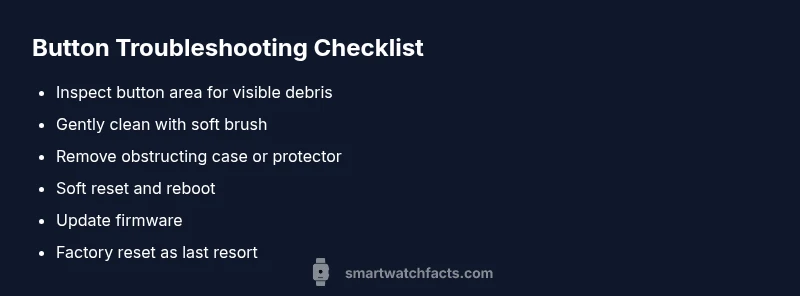
- easyClean around the button with a soft brush or microfiber cloth, and gently remove visible debris
- easyReboot the watch with a soft reset and observe button behavior
- easyRemove any case or screen protector that may press on the button
- easyUpdate the watch firmware and re-pair if needed to reset input handling
- mediumIf the issue persists, back up data and perform a factory reset as a last resort
- hardSeek authorized service to inspect internal contacts or hardware
People Also Ask
Why is my smartwatch button not responding, and how common is this issue?
Button responsiveness issues are common and usually stem from dirt, moisture, or software glitches. Start with basic cleaning and a soft reset, then move to firmware updates if needed.
Button issues are common. Start with cleaning and a reset, then update the software if needed.
Could dirt or moisture around the button be causing the problem?
Yes. Dirt and moisture are frequent culprits. Cleaning gently, drying thoroughly, and ensuring the area is free of debris typically resolves many cases.
Yes, dirt or moisture around the button is a frequent cause. Clean and dry the area to fix it.
Is a factory reset necessary to fix a stuck button?
A factory reset is usually a last resort after firmware updates and basic fixes. Back up data first, as this will erase personal settings.
A factory reset is a last resort after other fixes. Back up your data first.
When should I seek professional help for a button issue?
If cleaning, rebooting, and software updates don’t restore function, a hardware inspection by a service professional is recommended.
If the button still fails after updates and cleaning, seek professional help.
Can I remap the button or use gestures instead?
Some watches offer alternative actions or gestures for accessibility. Check the settings to see if you can remap the button or use gestures as a fallback.
You may be able to remap the button or use gestures if your watch supports it.
Will warranty affect repairs for button issues?
Warranty status can influence repair options and costs. Check coverage terms before proceeding with any service.
Warranty terms affect repair options; review coverage first.
Watch Video
Key Points
- Inspect for debris around the button first
- Perform a safe reset before deeper fixes
- Update firmware before factory reset
- Seek professional help for hardware concerns