Smartwatch Not Working After Swimming: Troubleshooting Guide
Find practical steps to fix a smartwatch not working after swimming. Dry-out tips, diagnostic flow, step-by-step fixes, and safety guidance from Smartwatch Facts.


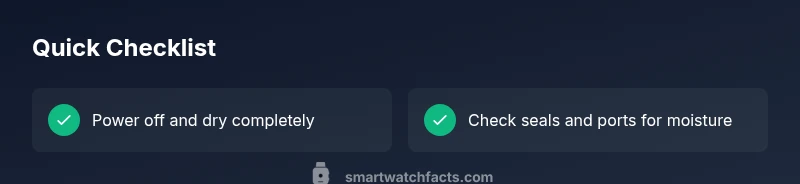
Most often a swim-related failure is caused by water exposure affecting the charging pins, sensors, or battery. To fix quickly, power off, dry the exterior and charging contacts, and perform a safe restart. Check that seals are intact and allow the device to dry in a warm, dry place for 24–48 hours before retesting in air.
Why water resistance isn't a guarantee after swimming
Water resistance ratings are useful, but they don't make a watch indestructible. A pool, river, or shower can introduce moisture in unexpected places, especially if you crash through waves, rub the device against skin, or if the seals are worn. According to Smartwatch Facts, many post-swim failures come from moisture intrusion into the charging pins and sensor suite. The result can be brief unresponsiveness, ghost touches, inaccurate heart-rate data, or even a completely dead device. The key is recognizing that water resistance is a limit, not a warranty. Rely on the rating provided by the manufacturer and treat any exposure as a risk.
Common symptoms you might notice after swimming
Symptoms vary from subtle to severe. You might see the display dim or flicker; touch input becomes erratic; sensors like heart-rate or SpO2 readings drift or stop updating; the watch fails to pair with your phone; or it refuses to power on after drying. Some owners report a faint, metallic smell near the charging port, which could indicate moisture or corrosion.
Immediate steps you should take if your watch just came out of the pool
- Power off the watch if you can access the power menu or hold the side button to force a shutdown. 2) Remove the band, wipe the exterior with a clean microfiber cloth, and gently pat dry external surfaces. 3) Do not attempt to charge while moisture is present. 4) Place the watch in a warm, well-ventilated area and use a silica gel desiccant or a fan to promote drying for at least 24–48 hours. 5) After drying, reattach the band and inspect charging contacts for corrosion.
Drying, cleaning, and reactivation essentials
The goal is to remove moisture without introducing heat. Avoid hair dryers or heaters; instead, provide consistent airflow and humidity control. Silica gel packets in a breathable container can speed drying. Once the device shows no signs of moisture in ports, reconnect a certified charger and attempt a soft reboot. If the watch starts normally, monitor for abnormal readings over the next 24 hours.
Diagnostic clues: what to look for and what to skip
Watch for symptoms such as screen unresponsiveness, erratic sensor data, buzzing or crackling sounds, or unusual battery drain. Do not jump to conclusions based on a single symptom; some issues mimic software glitches. If the device shows water spotting near the charging port or discoloration on seals, plan for professional inspection.
Step-by-step fix: dry-out, restart, and test
This section provides a practical, hands-on sequence to recover a water-exposed smartwatch. Start with power-down, extreaneous dry-time, dry, then restart. If the watch powers on, allow it to operate normally for a day before engaging any high-intensity features like GPS or health sensors.
Safety, warranty, and when to seek professional help
Water damage can affect warranty coverage depending on terms. If signs persist after thorough drying or you notice corrosion, display issues, or battery swelling, contact an authorized service center. Continuing to use or charging a damaged device poses safety risks. Always follow manufacturer guidance and avoid DIY fixes that could void warranty.
Prevention tips for future swims
Rinse your watch with fresh water after saltwater exposure, dry it promptly, and store it in a dry place. Recheck seals and O-ring integrity after heavy use or strap replacements. Consider models with higher water-resistance ratings and read care instructions to avoid repeated incidents.
Steps
Estimated time: 60-90 minutes
- 1
Power off the watch
If the device is responsive, use the power menu to shut it down. If it’s stubborn, press and hold the side button until the device powers off. This prevents short circuits during drying.
Tip: Always avoid charging while the device is wet. - 2
Remove the band and dry the exterior
Take off the band to expose all sides. Gently pat dry with a microfiber cloth and set the watch on a clean, dry surface with airflow.
Tip: Do not rub aggressively; moisture can seep into tiny gaps. - 3
Dry the charging contacts
Wipe the charging pins and port with a dry microfiber. If available, place the watch near a gentle air source or with silica gel to accelerate drying.
Tip: Avoid heat sources that could warp seals or components. - 4
Let it dry for 24–48 hours
Position the watch in a warm, dry area with good airflow. Do not attempt to power on during this period.
Tip: Smaller watches can dry faster; larger models may take longer. - 5
Reconnect power and test gently
After drying, reconnect the charger and perform a soft restart. Test basic functions before enabling GPS or health sensors.
Tip: If it powers on, monitor performance closely for the next day. - 6
Evaluate functionality and next steps
If issues persist, consult the manufacturer’s support or an authorized service center for diagnostic testing.
Tip: Keep your purchase records handy for warranty discussions.
Diagnosis: Smartwatch not responding or displaying abnormal readings after swimming
Possible Causes
- highWater ingress into charging port or internal components
- highBattery short or chemical reaction due to moisture
- mediumSeal degradation or missing O-ring after wear
- lowDisplay damage from pressure or impact during water exposure
Fixes
- easyPower off and dry device, especially charging contacts, using desiccants or air-drying for 24-48 hours
- easyInspect seals and ensure no visible cracks; reseal if possible according to manufacturer
- easyCharge only after completely dry; use official charger
- mediumPerform a soft reset or factory reset if supported after drying
- mediumVisit an authorized service center if issues persist or watch won’t turn on
People Also Ask
What is the first thing I should do after discovering my smartwatch won't turn on post-swim?
Power off if possible, dry the exterior, and avoid charging until completely dry. Then perform a restart and inspect the charging pins.
Power off and dry the watch, then try a restart.
Can I swim with the watch after drying it?
Only if the watch is fully dry and rated for water, and you’ve avoided prior signs of moisture. Check your model's rating first.
Only if fully dry and rated for water.
Will water damage void warranty?
It depends on the warranty terms and whether the damage is considered user exposure or a manufacturing defect. Check your coverage.
Warranty terms vary; check coverage.
How long should I wait before charging after swimming?
Wait until the device is completely dry and there are no signs of moisture in the port before charging.
Wait until completely dry before charging.
When should I seek professional repair?
If the watch still won’t power on after drying or you notice corrosion or swelling, contact an authorized service center.
If it still won’t power on, seek professional repair.
Watch Video
Key Points
- Dry thoroughly before testing
- Check seals and water rating
- Test in dry environment first
- Seek professional help if issues persist
- Prevent future incidents with proper washing and storage